
严选项目流水线基础环境准备
2026/8/13大约 7 分钟
微服务实战 · 第 23 篇
来源课程笔记整理优化;插图已迁入博客静态目录。
严选项目流水线基础环境准备
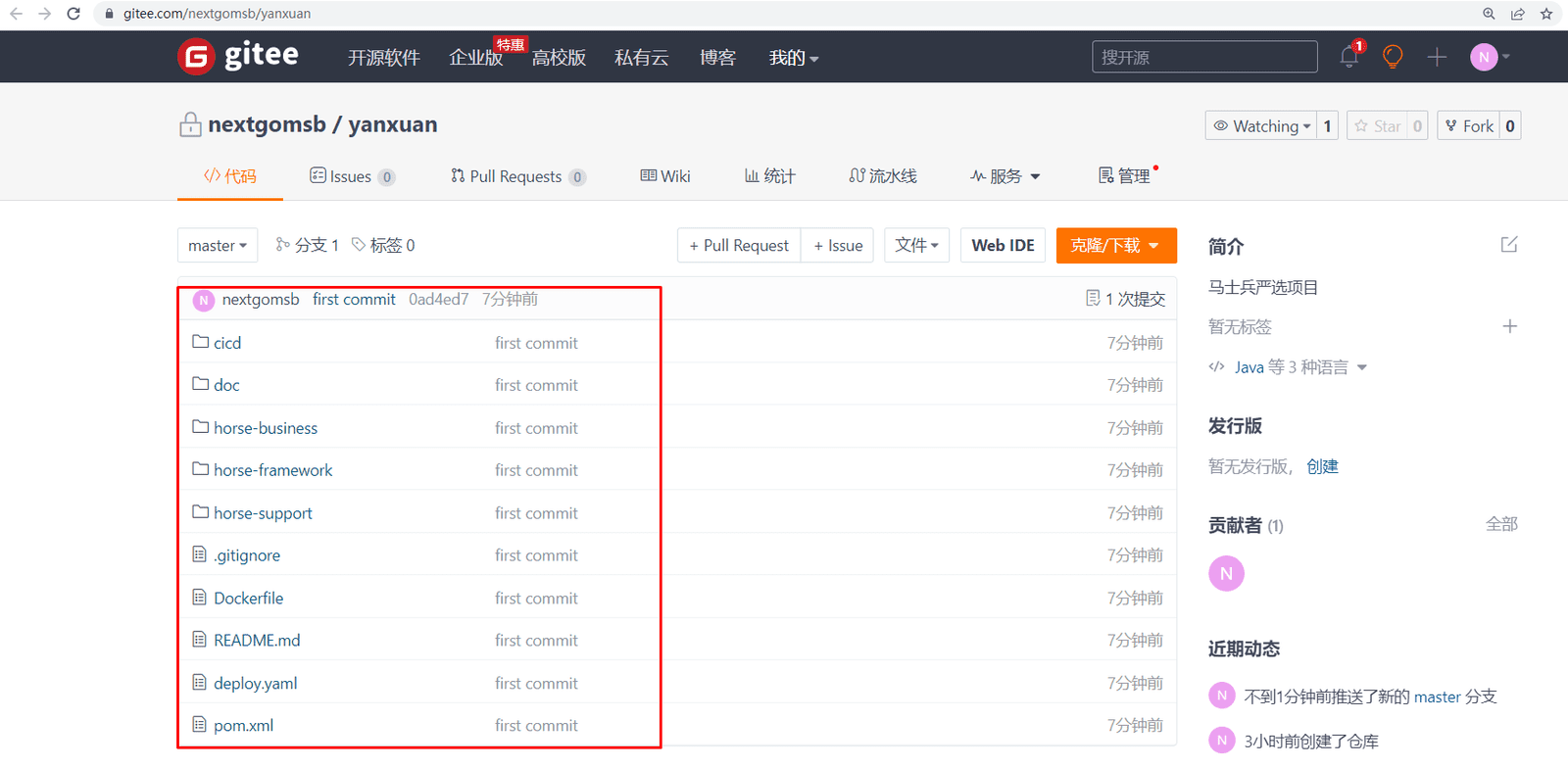
一、项目代码仓库及项目代码准备
1.1 项目代码仓库准备
本次使用gitee
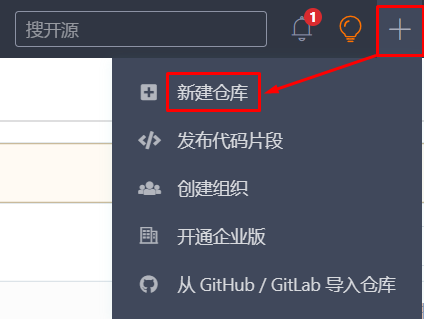
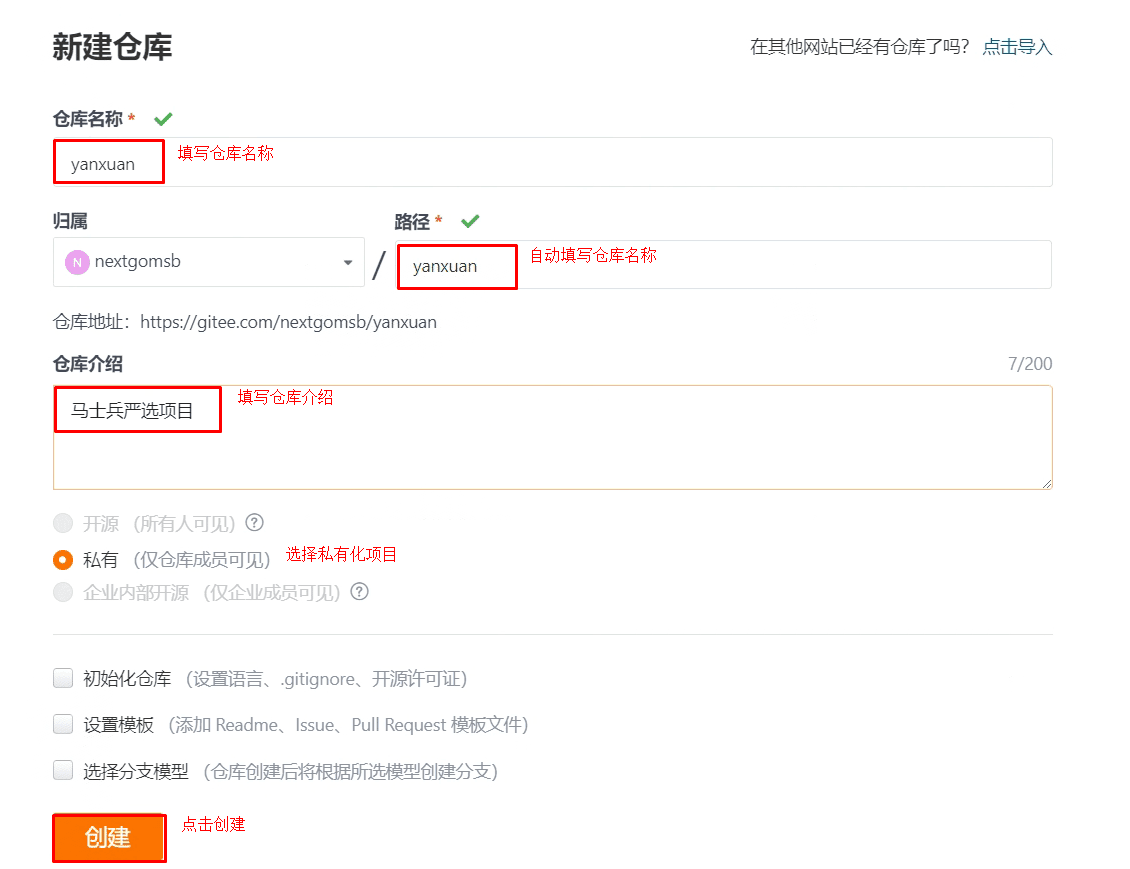
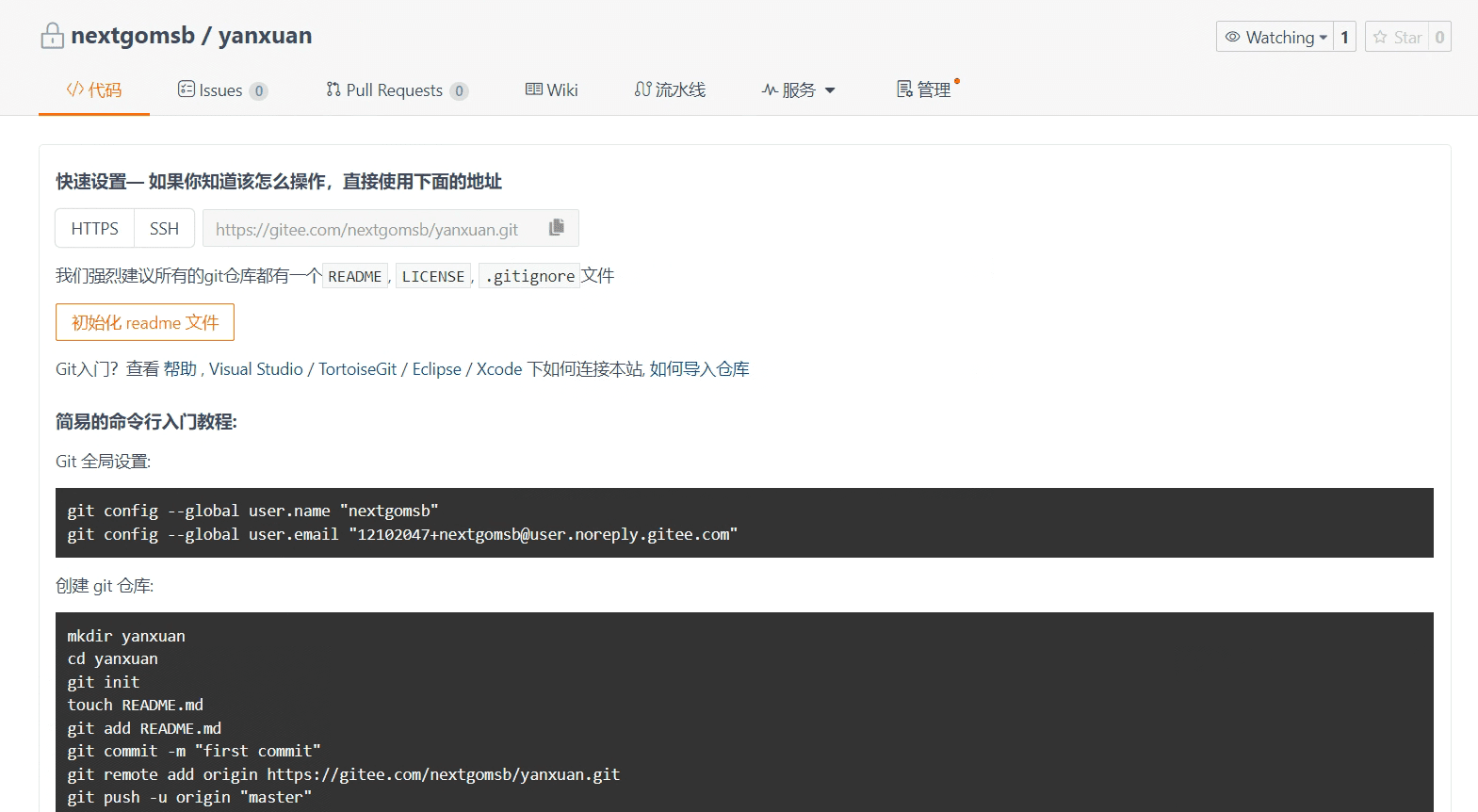
Git 全局设置
git config --global user.name "nextgomsb"
git config --global user.email "12102047+nextgomsb@user.noreply.gitee.com"
创建 git 仓库
mkdir yanxuan
cd yanxuan
git init
touch README.md
git add README.md
git commit -m "first commit"
git remote add origin https://gitee.com/nextgomsb/yanxuan.git
git push -u origin "master"
已有仓库?
cd existing_git_repo
git remote add origin https://gitee.com/nextgomsb/yanxuan.git
git push -u origin "master"
1.2 项目代码准备
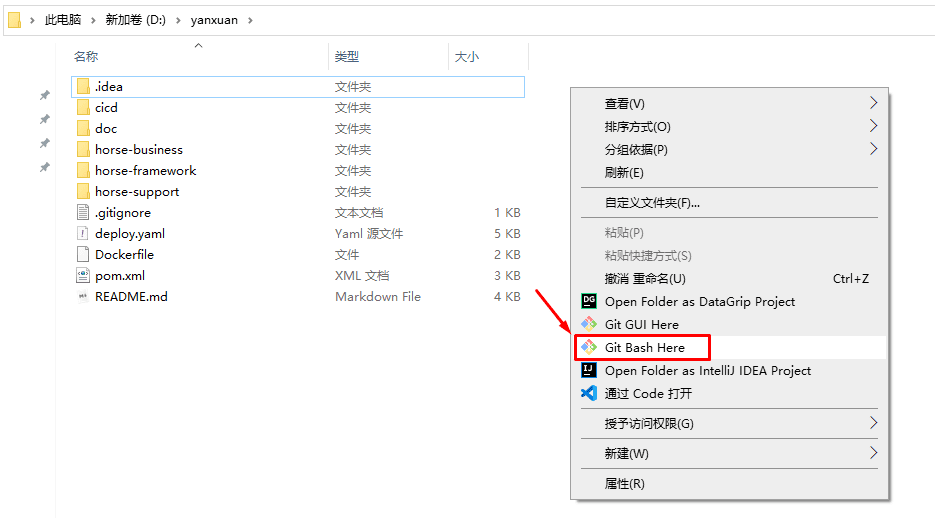
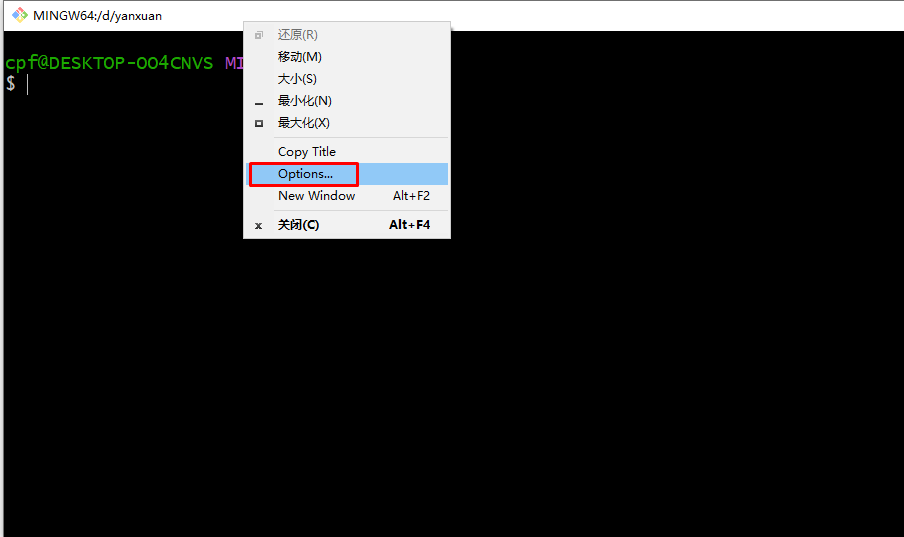
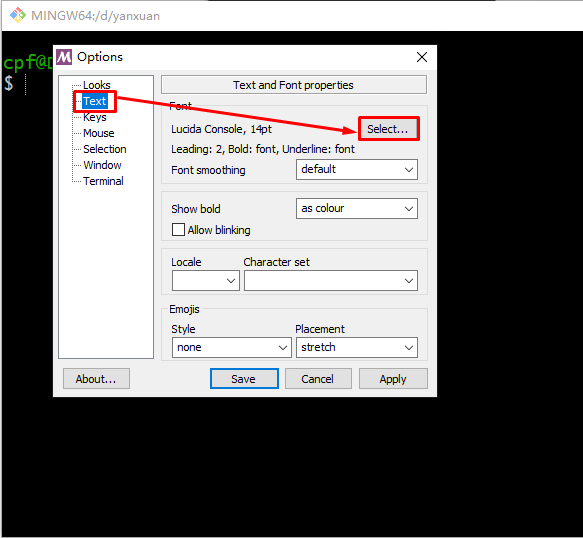
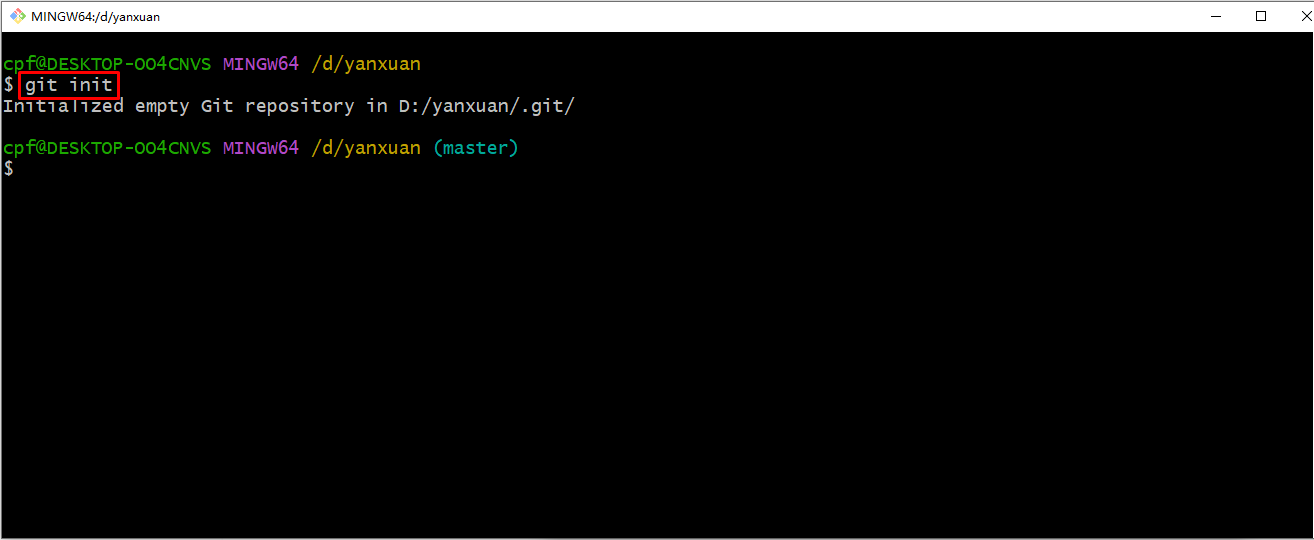
Gitee全局设置,此处设置用户名和密码
git config --global user.name "nextgomsb"
git config --global user.email "nextgo@126.com"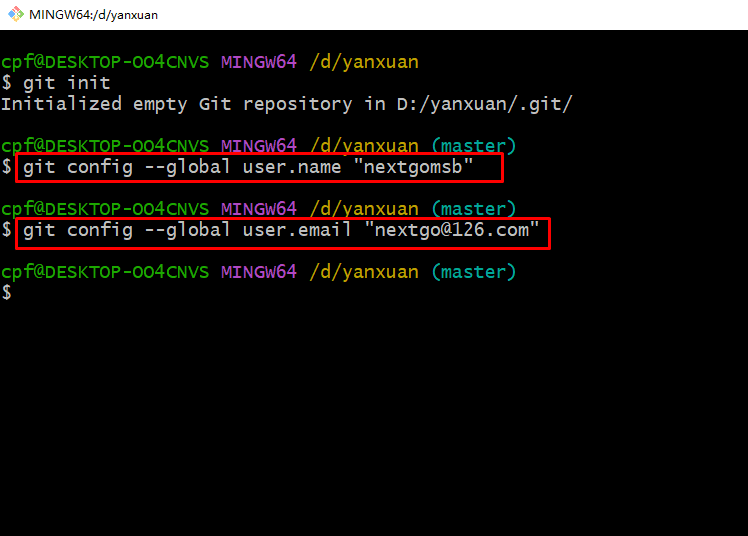
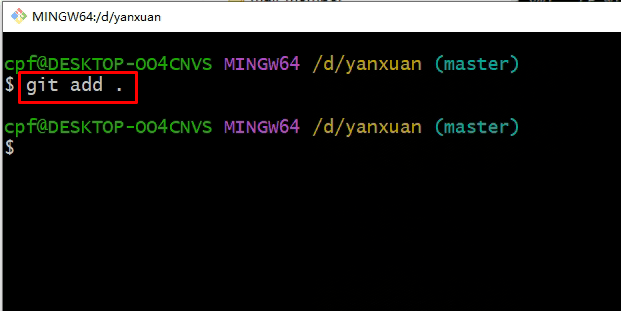
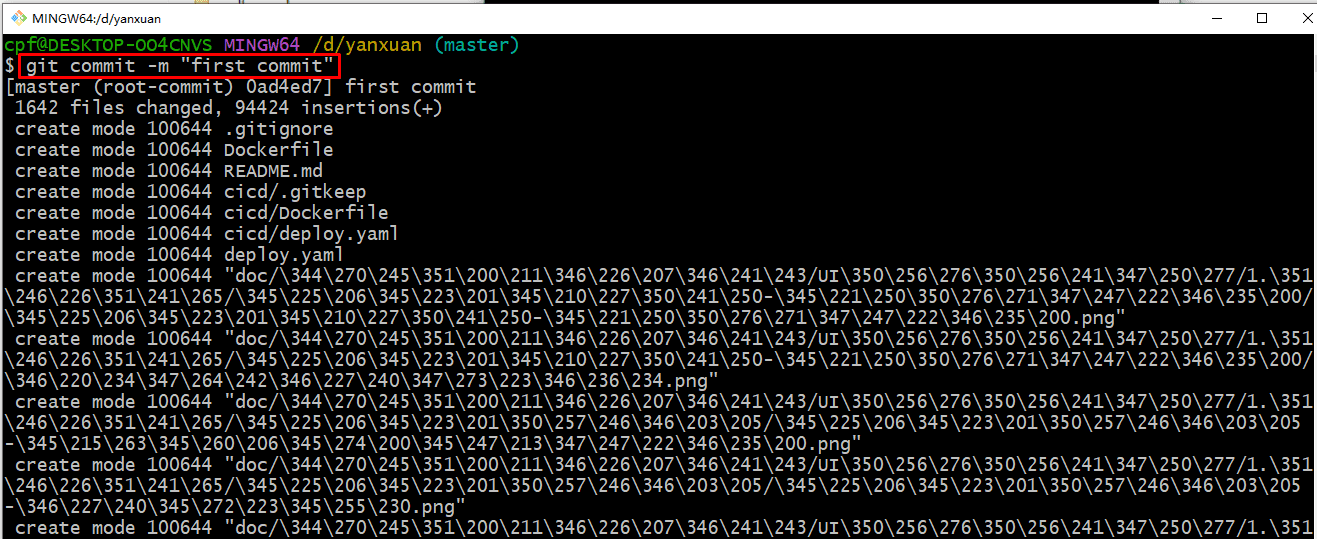
为本地项目添加一个远程仓库并推送到远程仓库
git remote add origin https://gitee.com/nextgomsb/yanxuan.git
git push -u origin "master"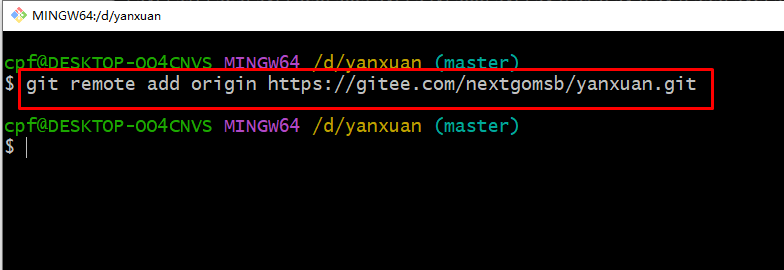
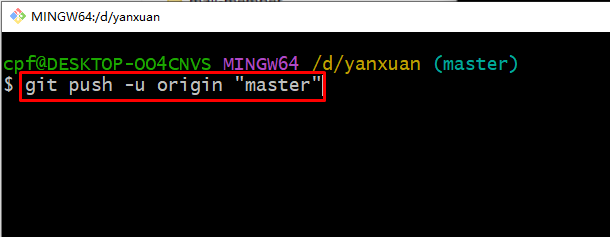
在提交的过程中应该需要输入gitee用户名和密码的,可能由于前期项目中已输入,因此此处没有输入,如你在上传项目代码过程中需要输入用户名和密码时,一定记得输入gitee的用户名和密码。
二、容器镜像仓库
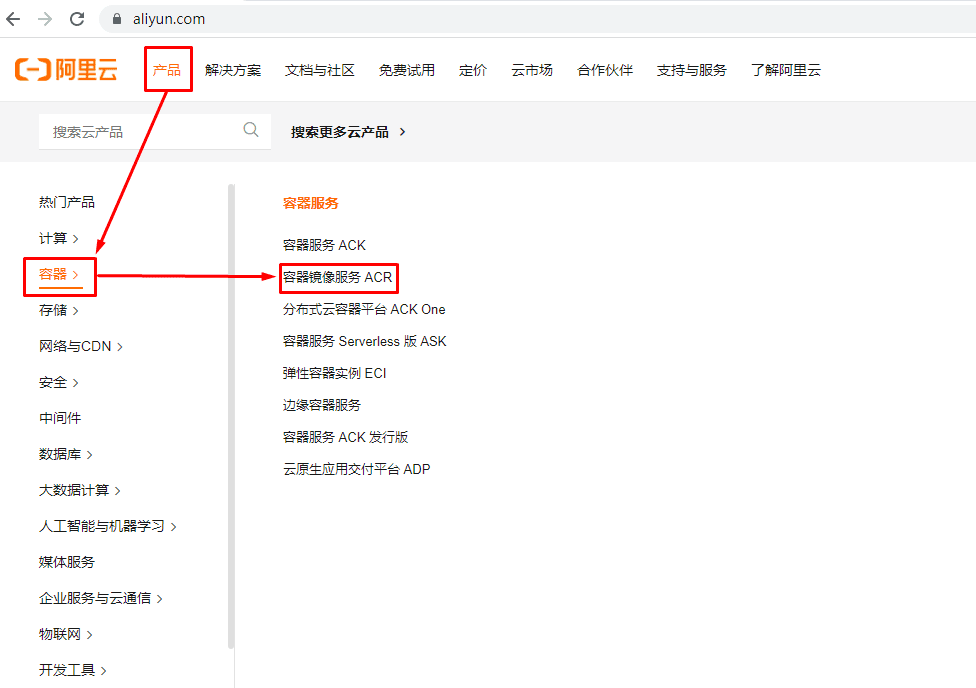
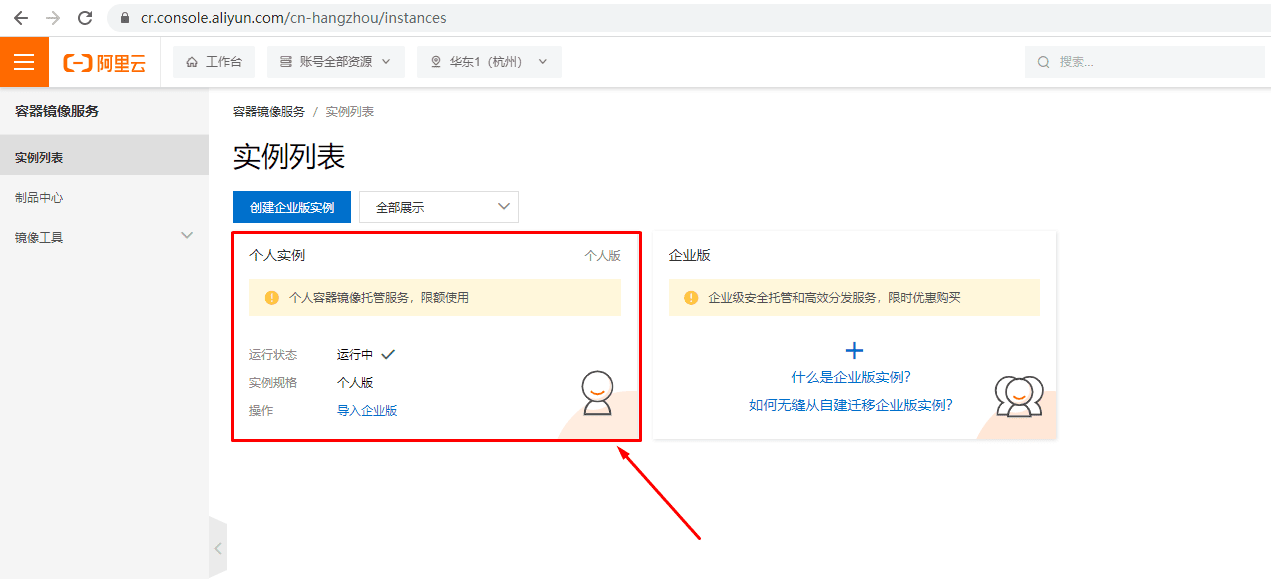
本次使用阿里云容器镜像服务ACR
2.1 查找容器镜像服务ACR

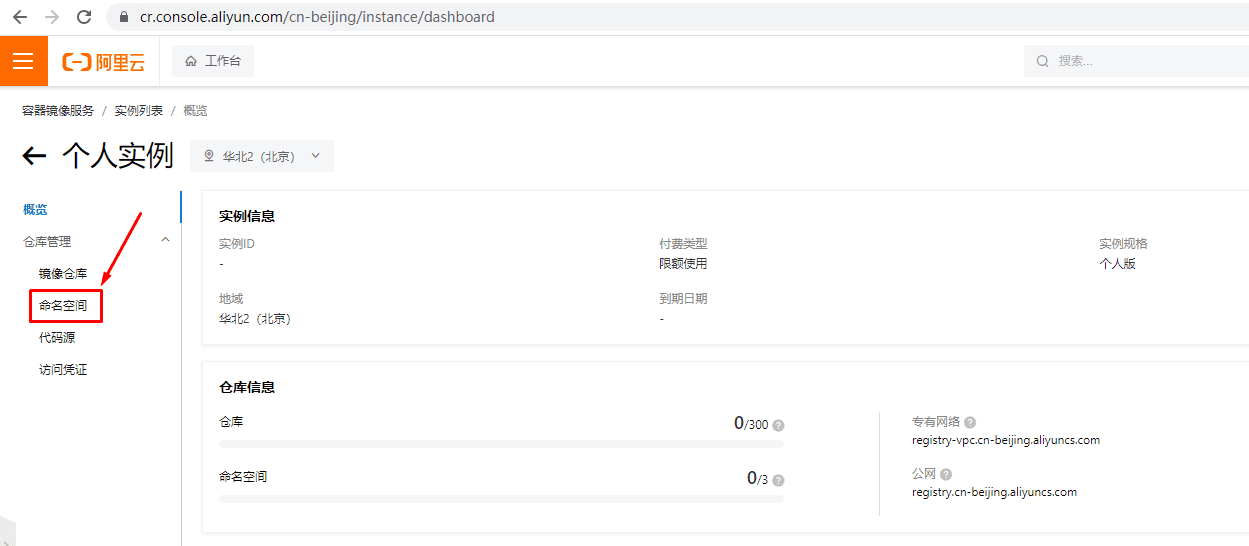
2.2 创建命名空间
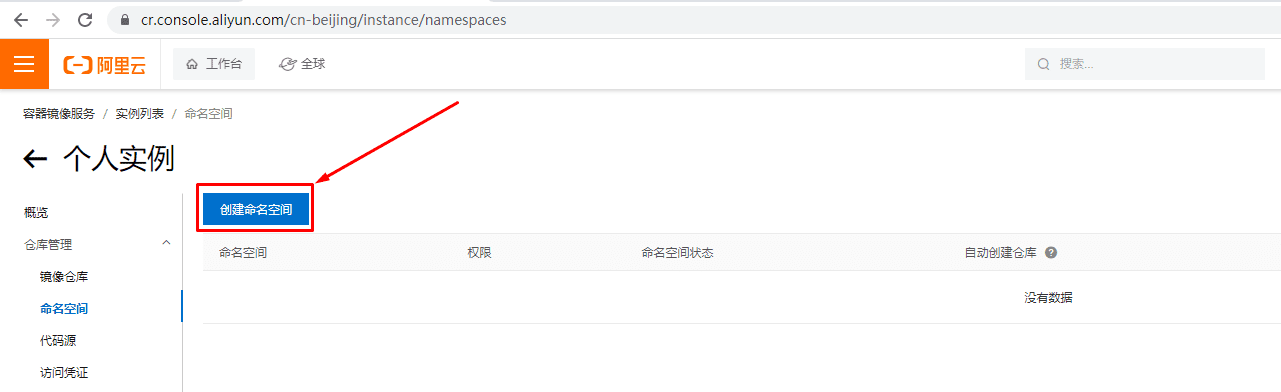
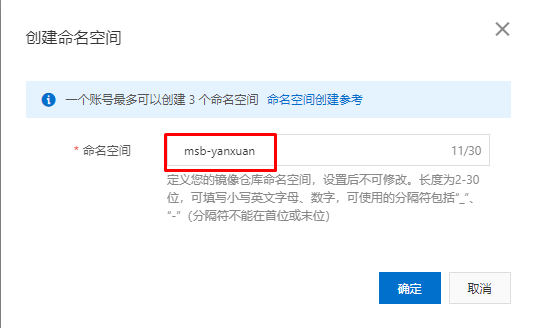
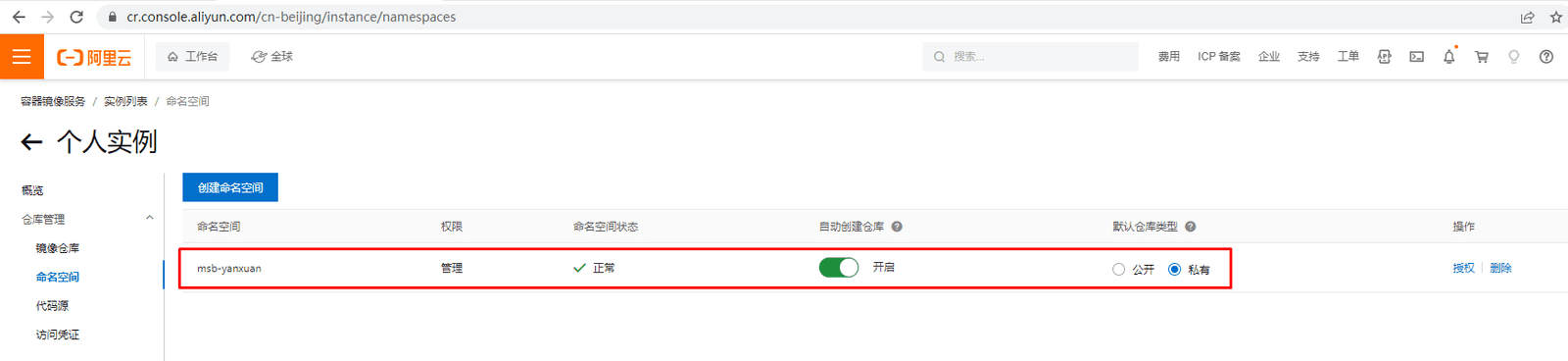
2.3 设置访问凭证
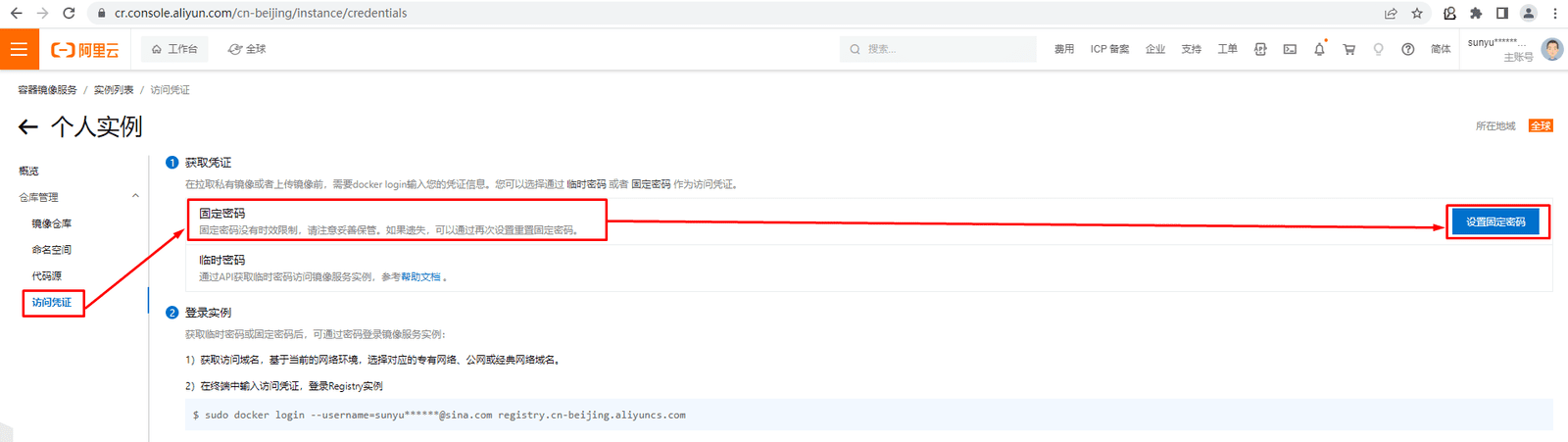
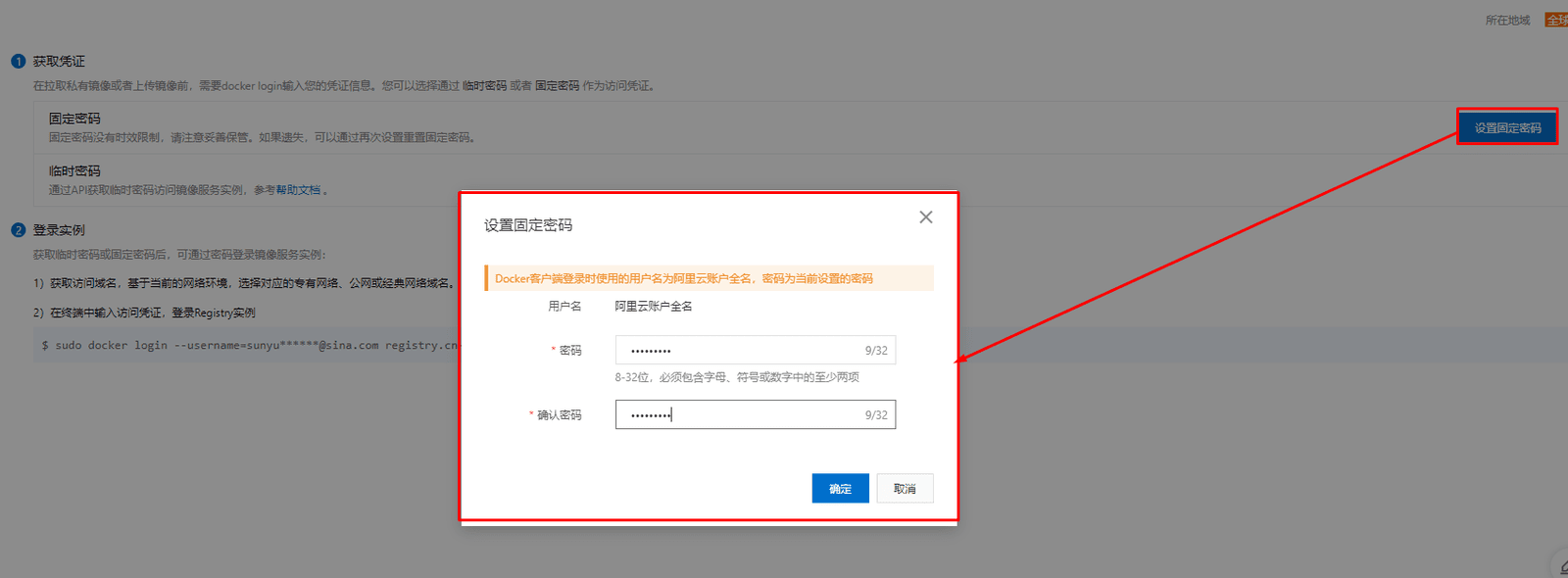
2.4 创建容器镜像仓库
由于使用流水线部署过程中,会自动创建项目容器镜像仓库,所以此处创建仅为演示。
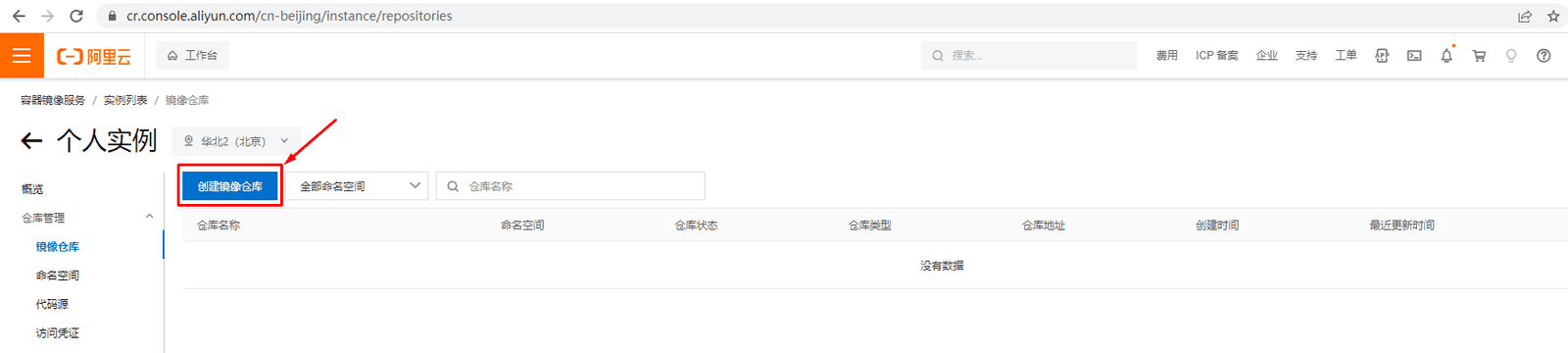
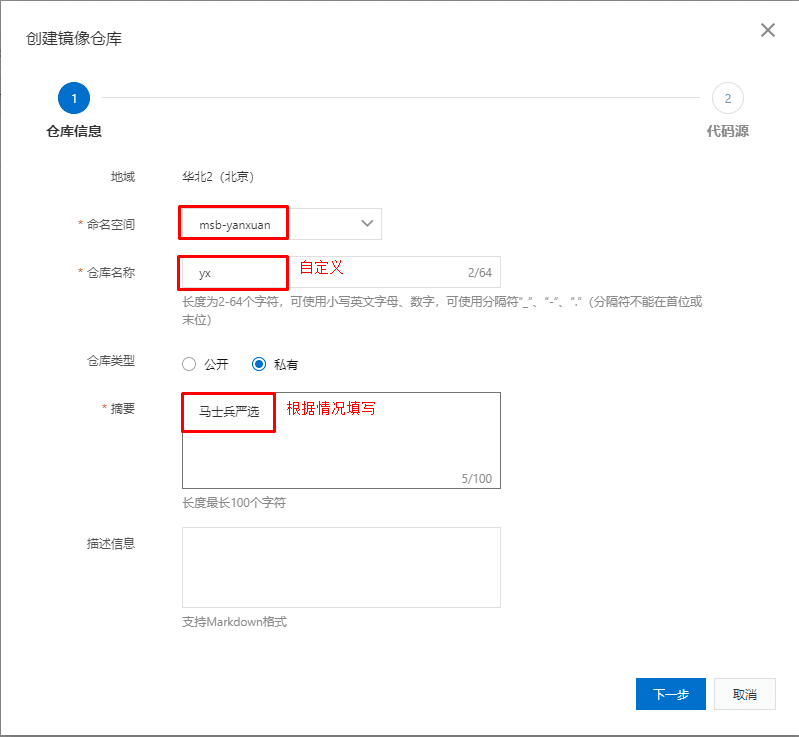
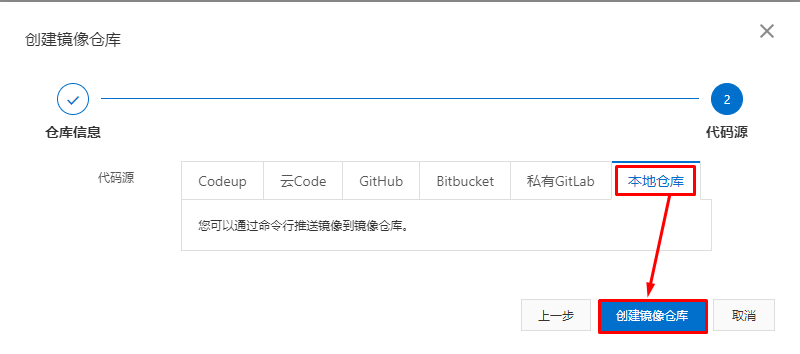
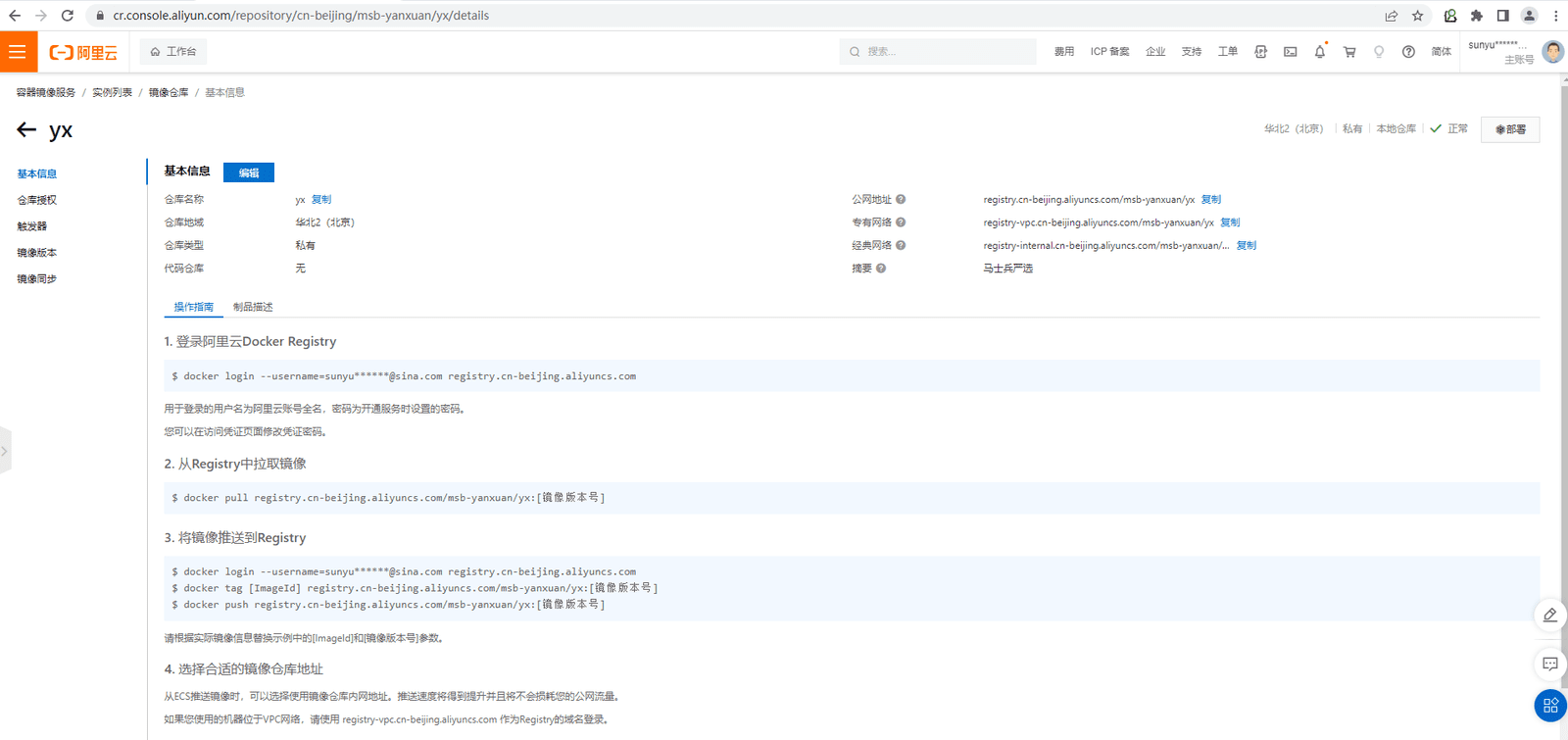
[root@harbor-server ~]# docker login --username=sunyu******@sina.com registry.cn-beijing.aliyuncs.com
Password: 输入密码
WARNING! Your password will be stored unencrypted in /root/.docker/config.json.
Configure a credential helper to remove this warning. See
https://docs.docker.com/engine/reference/commandline/login/#credentials-store

Login Succeeded[root@harbor-server ~]# docker images
REPOSITORY TAG IMAGE ID CREATED SIZE
gitlab/gitlab-ce latest 94e57271ad84 6 weeks ago 2.9GB
nginx latest 3f8a00f137a0 2 months ago 142MB
harbor.mashibing.com/library/nginx v1 3f8a00f137a0 2 months ago 142MB
goharbor/harbor-exporter v2.7.0 69796d5ea472 4 months ago 96.5MB
goharbor/chartmuseum-photon v2.7.0 3a1128c43ada 4 months ago 227MB
goharbor/redis-photon v2.7.0 cc91f43eb370 4 months ago 154MB
goharbor/trivy-adapter-photon v2.7.0 acf7683e6266 4 months ago 431MB
goharbor/notary-server-photon v2.7.0 cc32c079c5e8 4 months ago 113MB
goharbor/notary-signer-photon v2.7.0 1c7e9e9a0c92 4 months ago 110MB
goharbor/harbor-registryctl v2.7.0 6573a396157f 4 months ago 139MB
goharbor/registry-photon v2.7.0 4d015df21516 4 months ago 78.1MB
goharbor/nginx-photon v2.7.0 5f2878db2a82 4 months ago 154MB
goharbor/harbor-log v2.7.0 6b4a9a2855bb 4 months ago 161MB
goharbor/harbor-jobservice v2.7.0 cdde5030ac74 4 months ago 252MB
goharbor/harbor-core v2.7.0 f1aaf647100d 4 months ago 215MB
goharbor/harbor-portal v2.7.0 ea51148e87b6 4 months ago 162MB
goharbor/harbor-db v2.7.0 fff87d4d50e4 4 months ago 195MB
goharbor/prepare v2.7.0 f0f57240ce77 4 months ago 164MB
centos centos7 eeb6ee3f44bd 20 months ago 204MB
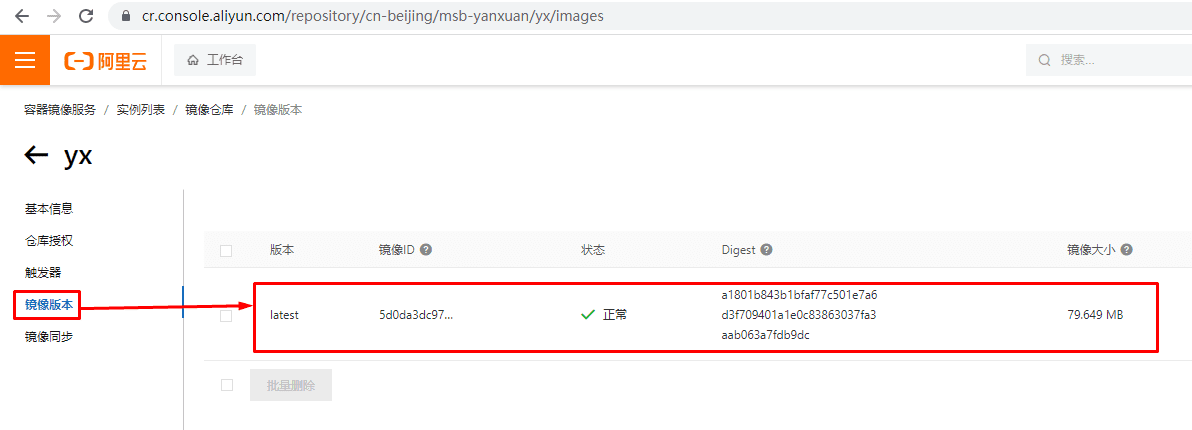
centos latest 5d0da3dc9764 20 months ago 231MB
[root@harbor-server ~]# docker tag centos:latest registry.cn-beijing.aliyuncs.com/msb-yanxuan/yx:latest
[root@harbor-server ~]# docker push registry.cn-beijing.aliyuncs.com/msb-yanxuan/yx:latest
The push refers to repository [registry.cn-beijing.aliyuncs.com/msb-yanxuan/yx]
74ddd0ec08fa: Pushed
latest: digest: sha256:a1801b843b1bfaf77c501e7a6d3f709401a1e0c83863037fa3aab063a7fdb9dc size: 529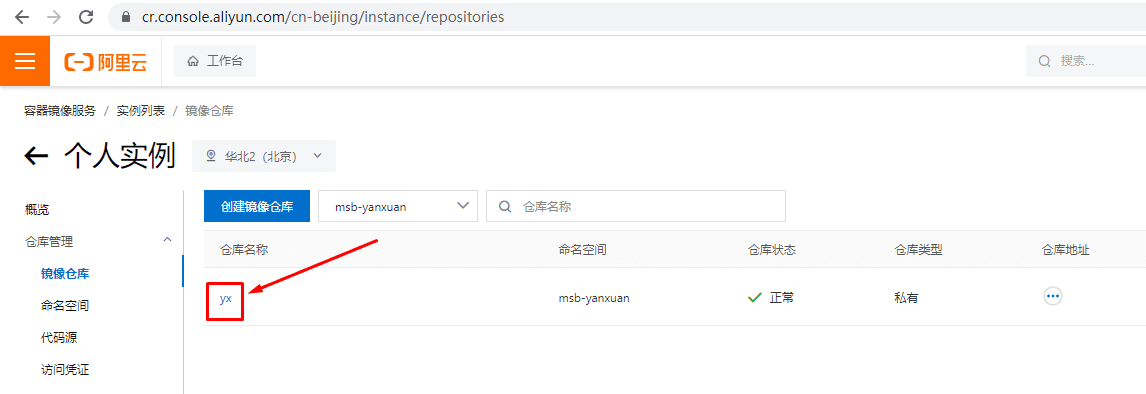
三、kubesphere流水线凭证准备
3.1 gitee
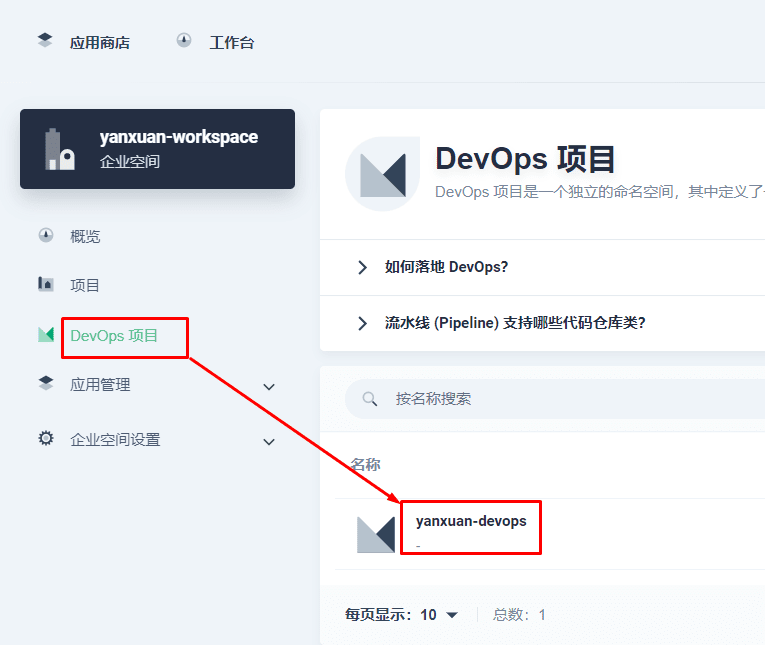
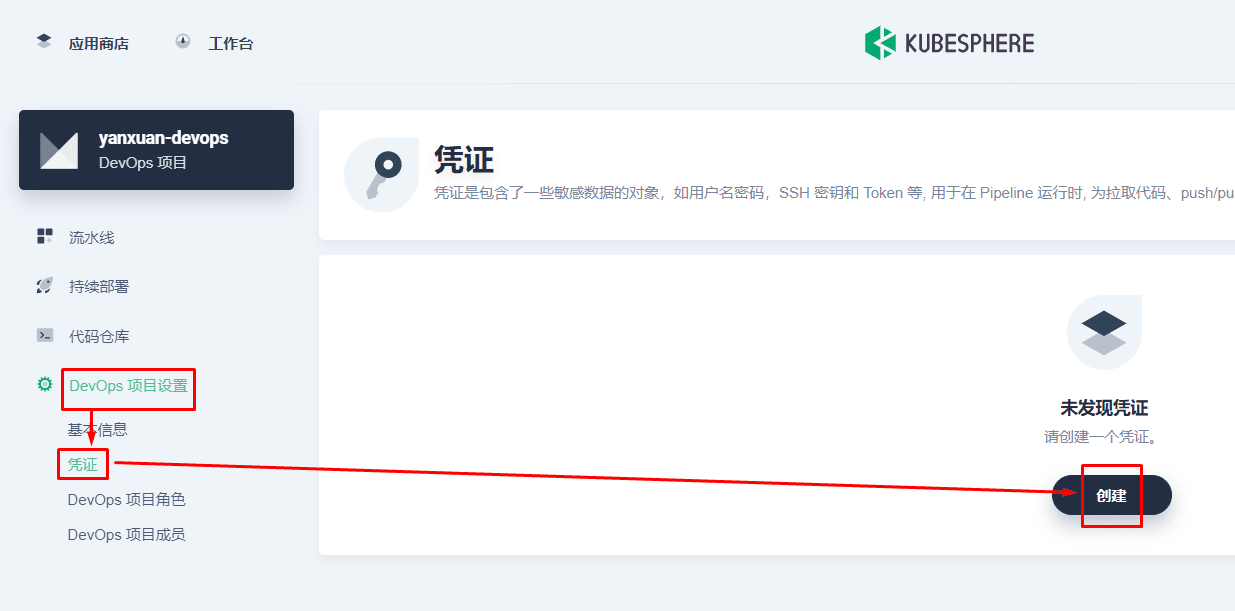
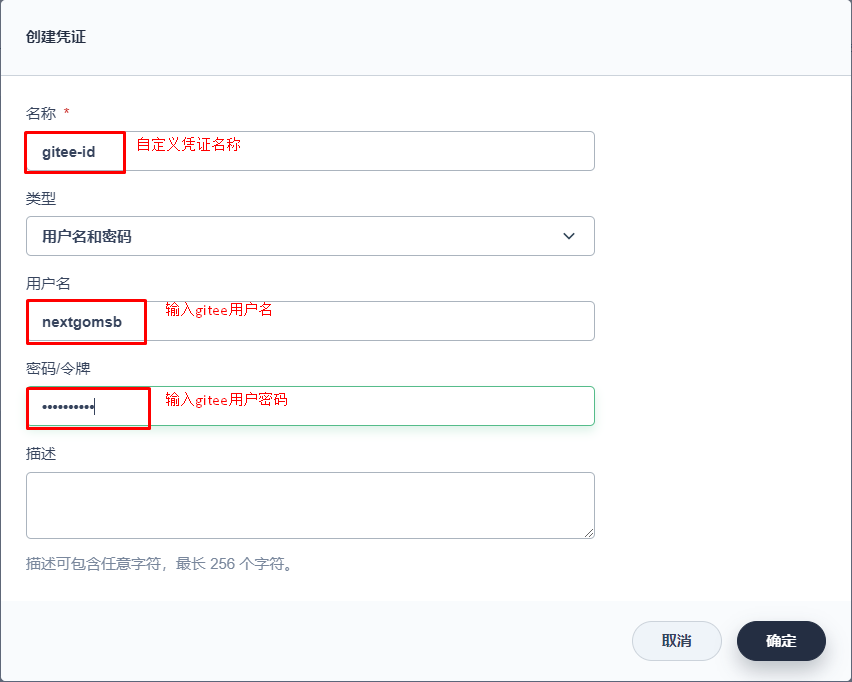
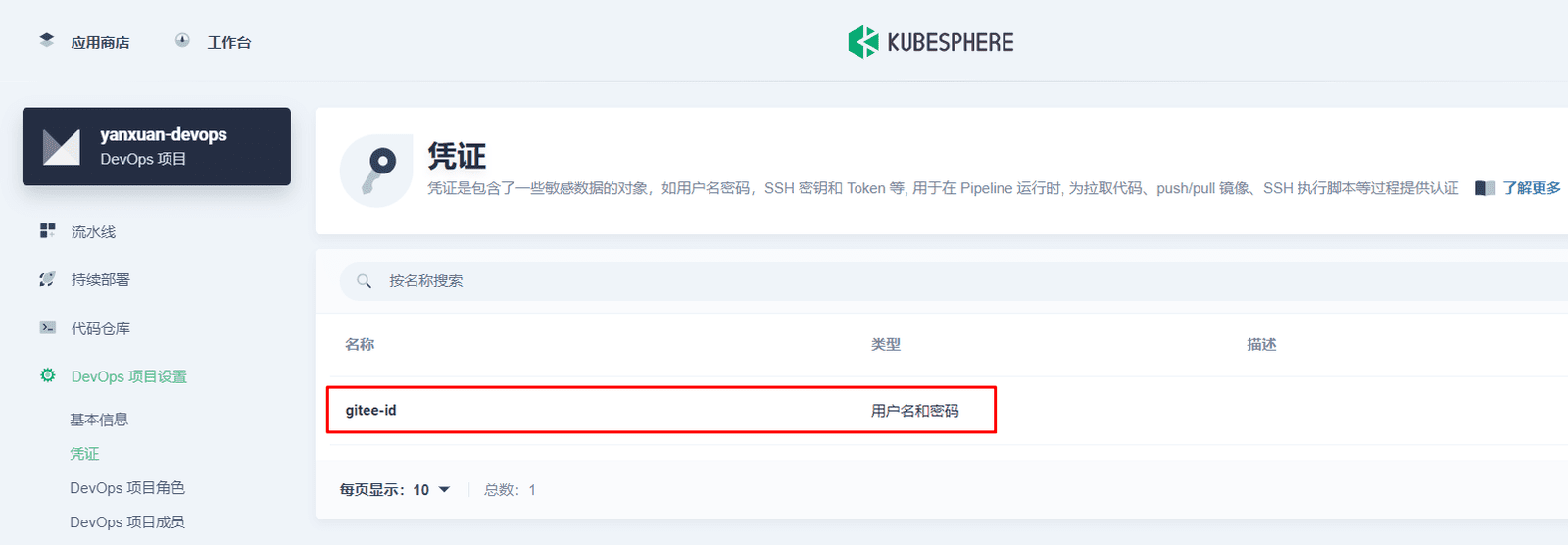
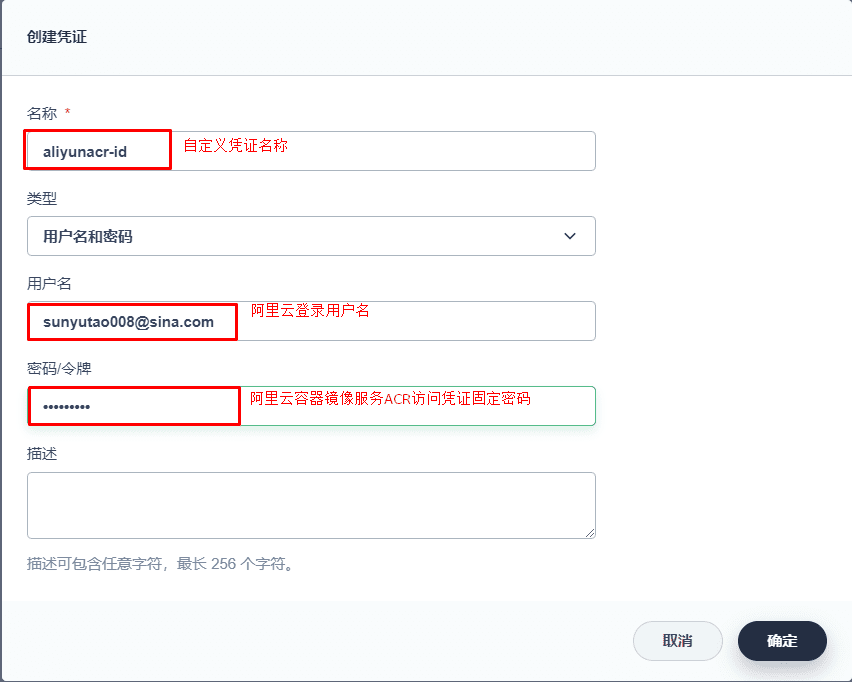
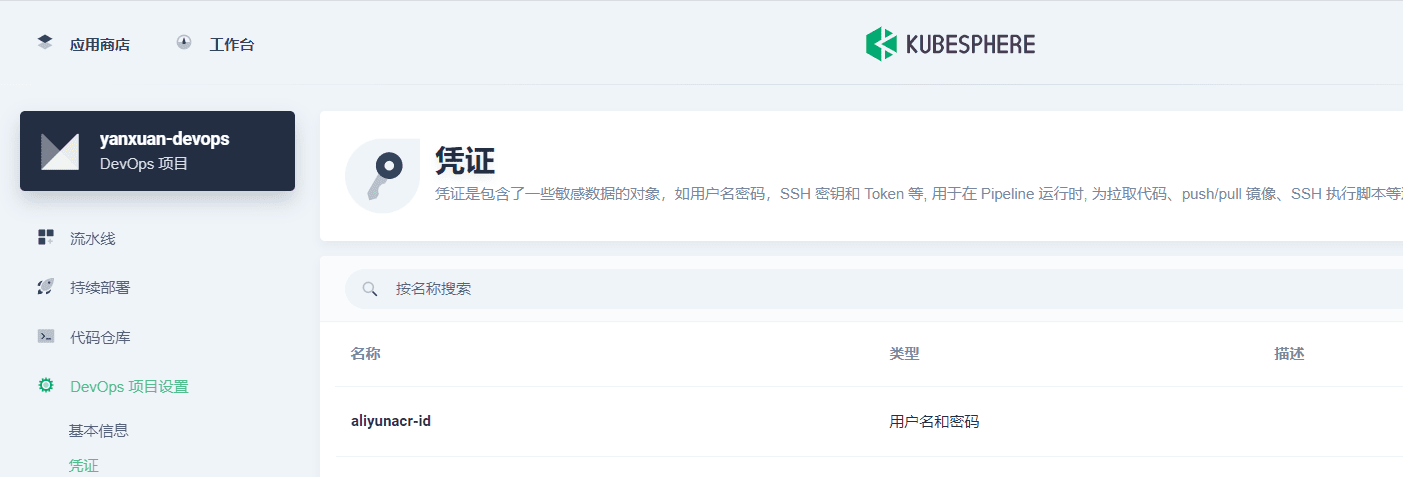
3.2 阿里云容器镜像仓库
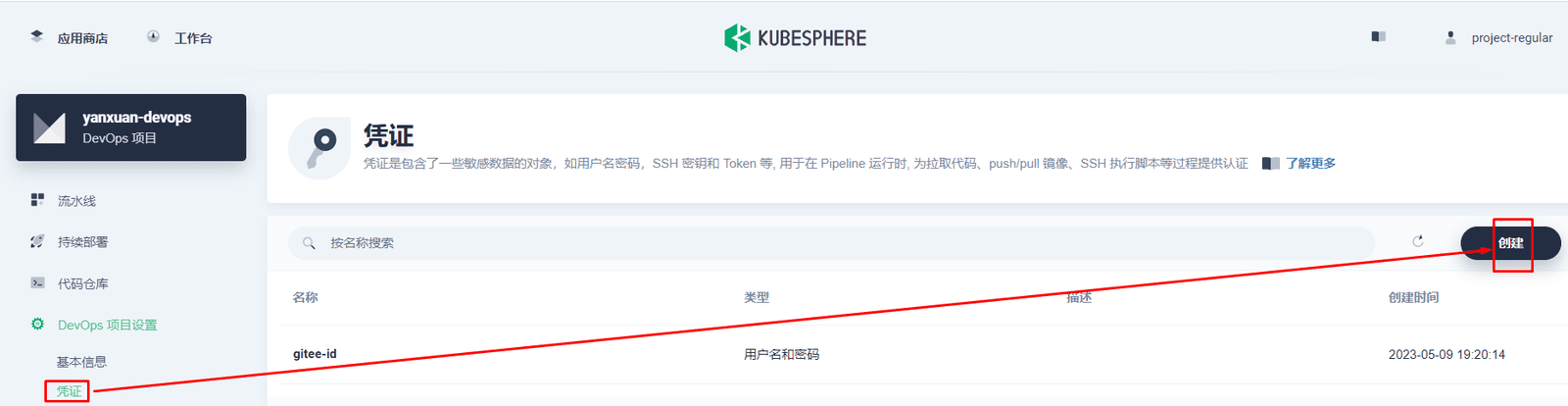
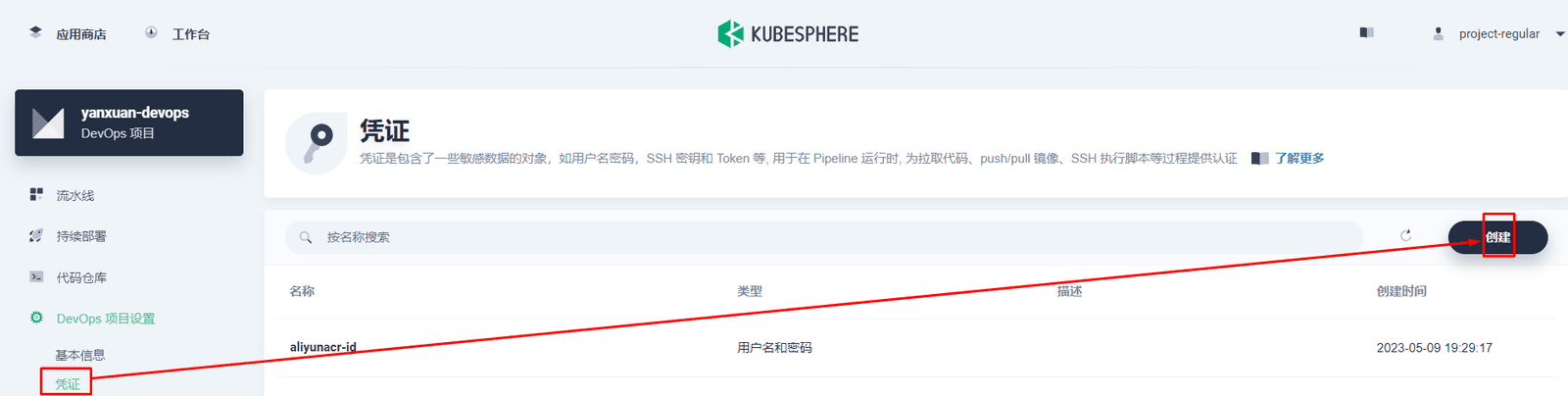
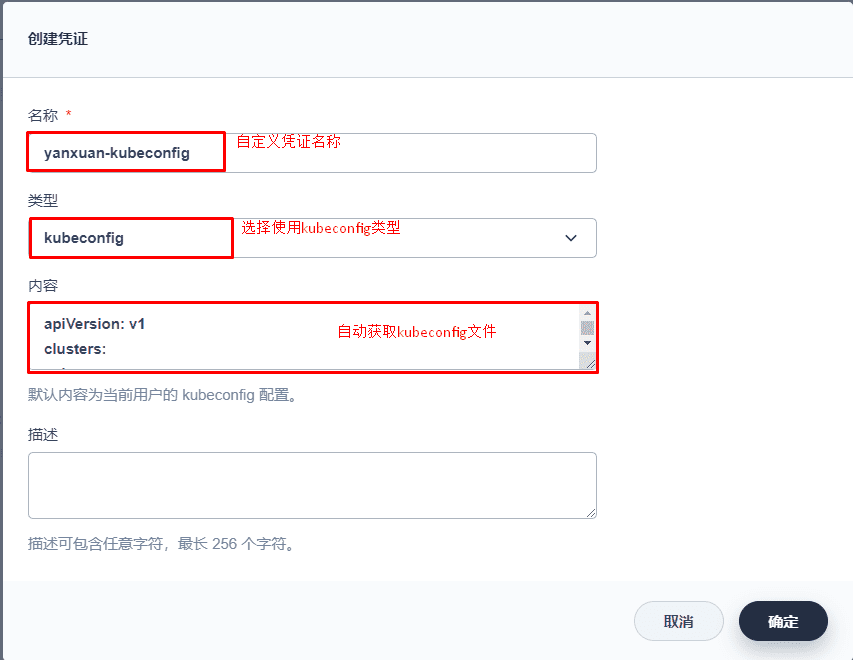
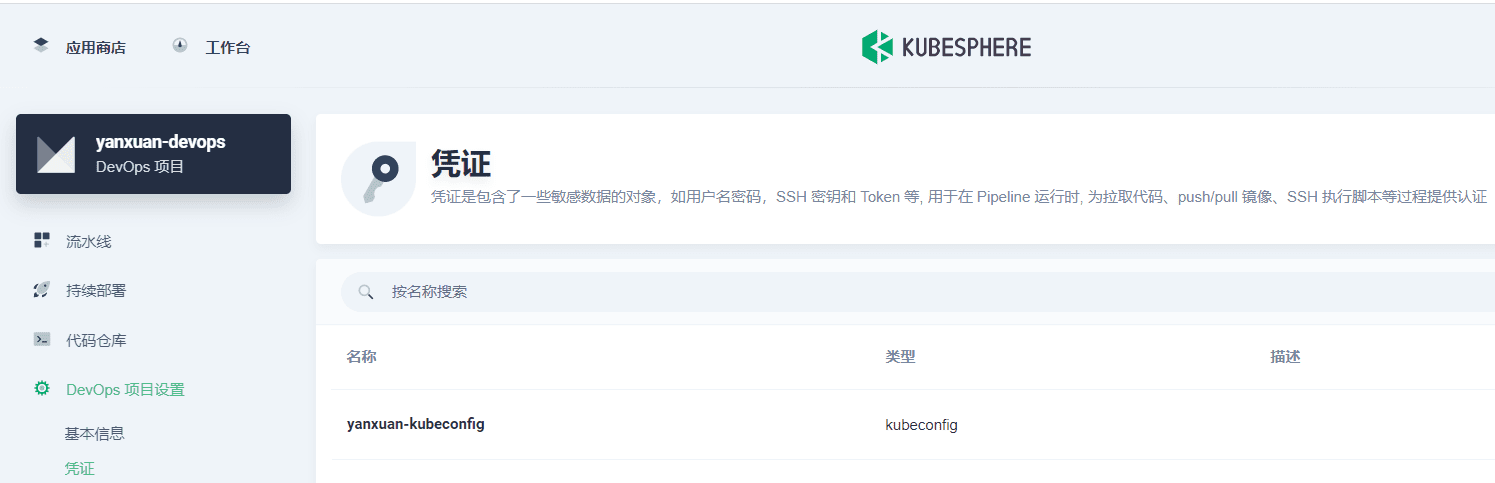
3.3 kubeconfig文件
四、项目Dockerfile准备
FROM 857676355/skjava:8
COPY --from=hengyunabc/arthas:latest /opt/arthas /arthas
ARG JAR_FILE
ENV jar=$JAR_FILE

ARG JAR_PORD
ENV PORD=$JAR_PORD

ARG SKNAME
ENV SKNAME=$SKNAME

ARG SKIP
ENV SKIP=$SKIP

ARG NACOS_URL
ENV NACOS_URL=$NACOS_URL

ARG NACOS
ENV NACOS=$NACOS

ARG NACOS_PS
ENV NACOS_PS=$NACOS_PS

ARG BRANCH
ENV BRANCH=$BRANCH

#RUN mkdir -p /data/weblog \
#    && sed -i "s@http://ftp.debian.org@https://repo.huaweicloud.com@g" /etc/apt/sources.list \
#    && sed -i "s@http://security.debian.org@https://repo.huaweicloud.com@g" /etc/apt/sources.list \
#    && sed -i "s@http://deb.debian.org@https://repo.huaweicloud.com@g" /etc/apt/sources.list \
#    && apt-get -o Acquire::Check-Valid-Until=false update -y \
#    && apt-get install apt-transport-https ca-certificates -y \
#    && apt-get install vim telnet less xfonts-utils iproute2 iputils-ping -y

ENV TZ Asia/Shanghai
COPY $jar app.jar
EXPOSE $PORD
CMD java -javaagent:/usr/local/agent/skywalking-agent.jar -Dskywalking.agent.service_name=$SKNAME -Dspring.cloud.nacos.discovery.server-addr=$NACOS_URL -Dspring.cloud.nacos.discovery.username=$NACOS -Dspring.cloud.nacos.discovery.password=$NACOS_PS -Dskywalking.collector.backend_service=$SKIP -jar app.jar --spring.profiles.active=$BRANCH
五、项目部署描述文件deploy.yaml准备
kubectl create secret docker-registry aliyunacr-secret --docker-server=registry.cn-zhangjiakou.aliyuncs.com --docker-username=sunyu******@sina.com --docker-password=a******6 -n yanxuan-projectkind: Deployment
apiVersion: apps/v1
metadata:
labels:
app: $IMAGES
name: $IMAGES
namespace: yanxuan-project
spec:
progressDeadlineSeconds: 600
replicas: 1
selector:
matchLabels:
app: $IMAGES
strategy:
type: RollingUpdate
rollingUpdate:
maxUnavailable: 25%
maxSurge: 25%
template:
metadata:
labels:
app: $IMAGES
spec:
imagePullSecrets:
- name: aliyunacr-secret
containers:
- image: 'elastic/filebeat:7.17.3'
args: [
"-c","/etc/filebeat.yml",
"-e",
]
name: filebeat
resources:
limits:
cpu: '500'
memory: 500Mi
requests:
cpu: '0.1'
memory: 100Mi
volumeMounts:
- name: $IMAGES
mountPath: /data/logs
- name: filebeat-config
mountPath: /etc/filebeat.yml
subPath: filebeat.yml
- image: '$REGISTRY/$ALIYUNACR_NAMESPACE/$IMAGES:$BUILD_NUMBER'
name: $IMAGES
ports:
- containerPort: $JAR_PORD
protocol: TCP
resources:
limits:
cpu: '1'
memory: 2000Mi
requests:
cpu: '0.1'
memory: 256Mi
volumeMounts:
- name: $IMAGES
mountPath: /data/logs
livenessProbe:
failureThreshold: 40
initialDelaySeconds: 30
periodSeconds: 5
httpGet:
scheme: HTTP
path: $INSPECT
port: $JAR_PORD
readinessProbe:
failureThreshold: 40
initialDelaySeconds: 30
periodSeconds: 5
httpGet:
scheme: HTTP
path: $INSPECT
port: $JAR_PORD
volumes:
- name: $IMAGES
emptyDir: {}
- name: filebeat-config
configMap:
name: filebeat-config
terminationGracePeriodSeconds: 30
---
apiVersion: v1
kind: ConfigMap
metadata:
namespace: yanxuan-project
name: filebeat-config
data:
filebeat.yml: |-
filebeat.inputs:
- type: log
paths:
- /data/logs/console.log
fields:
type: "$IMAGES"
multiline:
pattern: '^202.*'
negate: true
match: after
setup.ilm.enabled: false
setup.template.name: "log"
setup.template.pattern: "log-*"
output.elasticsearch:
hosts: ["$ES:9200"]
indices:
- index: "$IMAGES-%{+yyyy.MM.dd}"
when.equals:
fields.type: "$IMAGES"
setup.kibana:
host: "$ES:5601"
processors:
- script:
lang: javascript
id: my_filter
tag: enable
source: >
function process(event) {
var message= event.Get("message");
var time =message.split("|")[0];
event.Put("TIME",time);
message= message.replace(time, '')
event.Put("message", message);
var message= event.Get("message");
var time =message.split("|")[3];
event.Put("LEVEL",time);
var time =message.split("|")[1];
event.Put("THERAD",time);
var time =message.split("|")[2];
event.Put("TRACELD",time);
var time =message.split("|")[4];
event.Put("POSTION",time);
var time =message.split("|")[5];
event.Put("METHOD",time);
var time =message.split("|")[6];
event.Put("MESSAGE",time);
}
- timestamp:
field: log_time
timezone: Asia/Shanghai
layouts:
- '2006-01-02 15:04:05'
- '2006-01-02 15:04:05.999'
test:
- '2019-06-22 16:33:51'