k8s集群中部署微服务项目前端代理服务 Nginx
2026/8/13大约 5 分钟
微服务实战 · 第 12 篇
来源课程笔记整理优化;插图已迁入博客静态目录。
k8s集群中部署微服务项目前端代理服务 Nginx
一、微服务项目静态资源准备
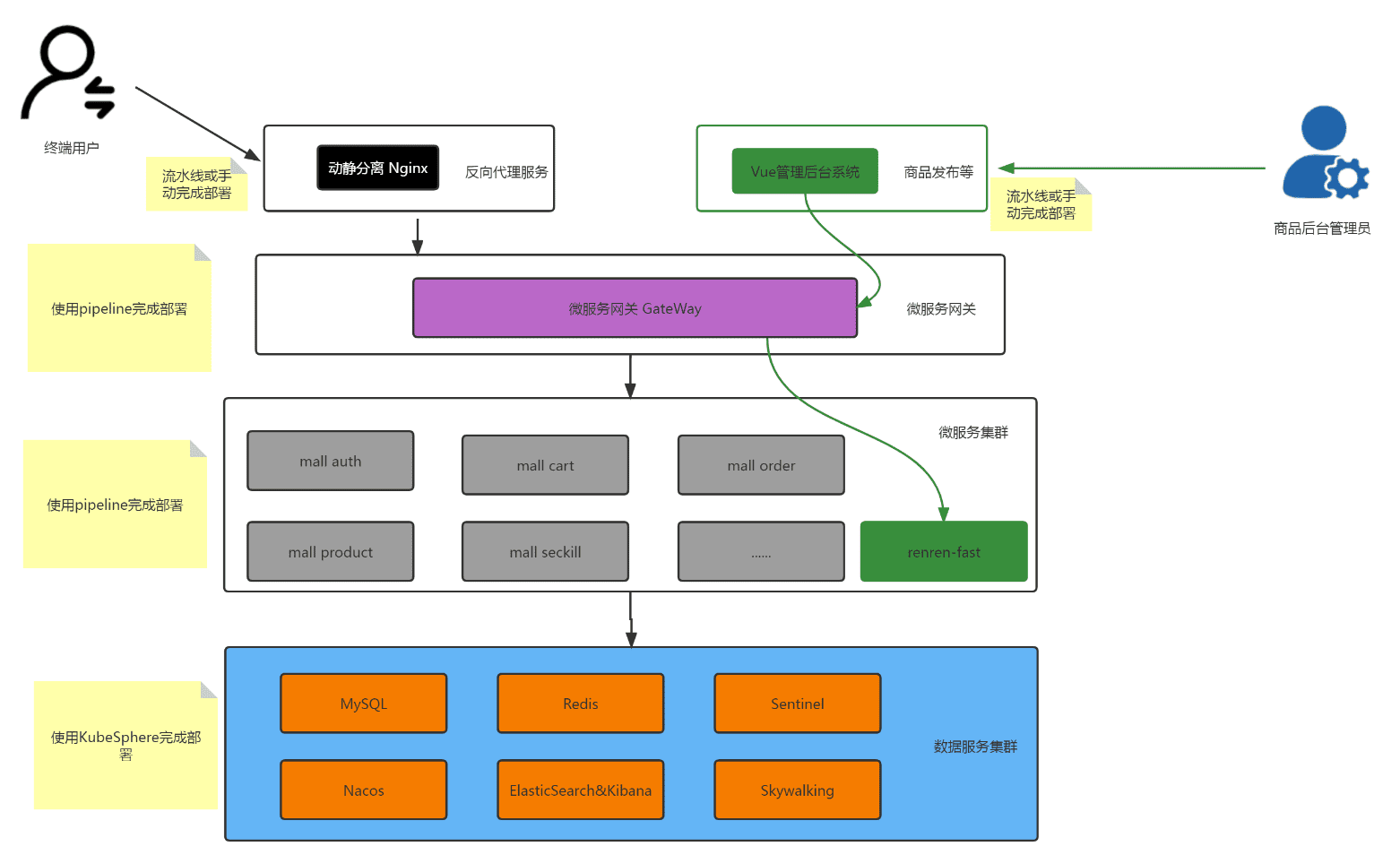
# mkdir sangomall-proxy
# cd sangomall-proxy/[root@k8s-master01 sangomall-proxy]# ls
conf Dockerfile html html.tar.gz[root@k8s-master01 sangomall-proxy]# cd conf/
[root@k8s-master01 conf]# ls
default.conf
[root@k8s-master01 conf]# vim default.conf
[root@k8s-master01 conf]# cat default.conf
upstream sangomall {
server mall-gateway.sangomall.svc.cluster.local.:8072;
}
server {
listen 80;
server_name *.msb.com;
#access_log /var/log/nginx/host.access.log main;
location /static/ {
root /usr/share/nginx/html;
}
location / {
proxy_set_header Host $host;
proxy_pass http://sangomall;
}
#error_page 404 /404.html;
# redirect server error pages to the static page /50x.html
#
error_page 500 502 503 504 /50x.html;
location = /50x.html {
root /usr/share/nginx/html;
}
# proxy the PHP scripts to Apache listening on 127.0.0.1:80
#
#location ~ \.php$ {
# proxy_pass http://127.0.0.1;
#}
# pass the PHP scripts to FastCGI server listening on 127.0.0.1:9000
#
#location ~ \.php$ {
# root html;
# fastcgi_pass 127.0.0.1:9000;
# fastcgi_index index.php;
# fastcgi_param SCRIPT_FILENAME /scripts$fastcgi_script_name;
# include fastcgi_params;
#}
# deny access to .htaccess files, if Apache's document root
# concurs with nginx's one
#
#location ~ /\.ht {
# deny all;
#}
}[root@k8s-master01 sangomall-proxy]# ls
conf Dockerfile html html.tar.gz
[root@k8s-master01 sangomall-proxy]# cd html
[root@k8s-master01 html]# ls
es index.html static
[root@k8s-master01 html]# cat es/fenci.txt
sango
mall
[root@k8s-master01 html]# cat index.html
<h1>sangomall </h1>[root@k8s-master01 html]# ls static
cart index item login order reg search[root@k8s-master01 sangomall-proxy]# cd html/
# tar czvf html.tar.gz *[root@k8s-master01 sangomall-proxy]# mv html.tar.gz ../[root@k8s-master01 sangomall-proxy]# vim Dockerfile
[root@k8s-master01 sangomall-proxy]# cat Dockerfile
FROM nginx
MAINTAINER nextgo@126.com
RUN rm -rf /etc/nginx/conf.d/*
COPY conf/* /etc/nginx/conf.d/
ADD html.tar.gz /usr/share/nginx/html/
EXPOSE 80
ENTRYPOINT nginx -g "daemon off;"二、微服务项目前端代理服务镜像制作
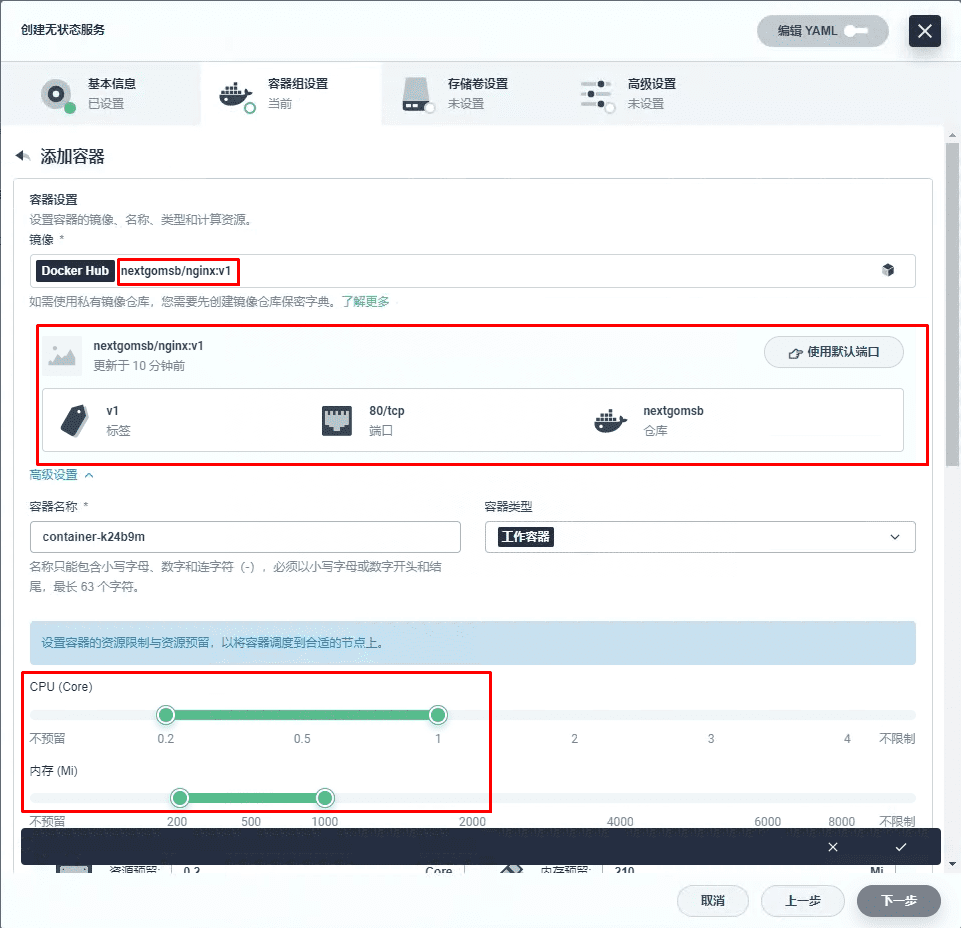
[root@k8s-master01 sangomall-proxy]# docker build -t docker.io/nextgomsb/nginx:v1 .[root@k8s-master01 sangomall-proxy]# docker images
REPOSITORY TAG IMAGE ID CREATED SIZE
nextgomsb/nginx v1 f83f673f91df 4 seconds ago 173MB[root@k8s-master01 sangomall-proxy]# docker login
Login with your Docker ID to push and pull images from Docker Hub. If you don't have a Docker ID, head over to https://hub.docker.com to create one.
Username: nextgomsb
Password:
WARNING! Your password will be stored unencrypted in /root/.docker/config.json.
Configure a credential helper to remove this warning. See
https://docs.docker.com/engine/reference/commandline/login/#credentials-store
Login Succeeded[root@k8s-master01 sangomall-proxy]# docker push docker.io/nextgomsb/nginx:v1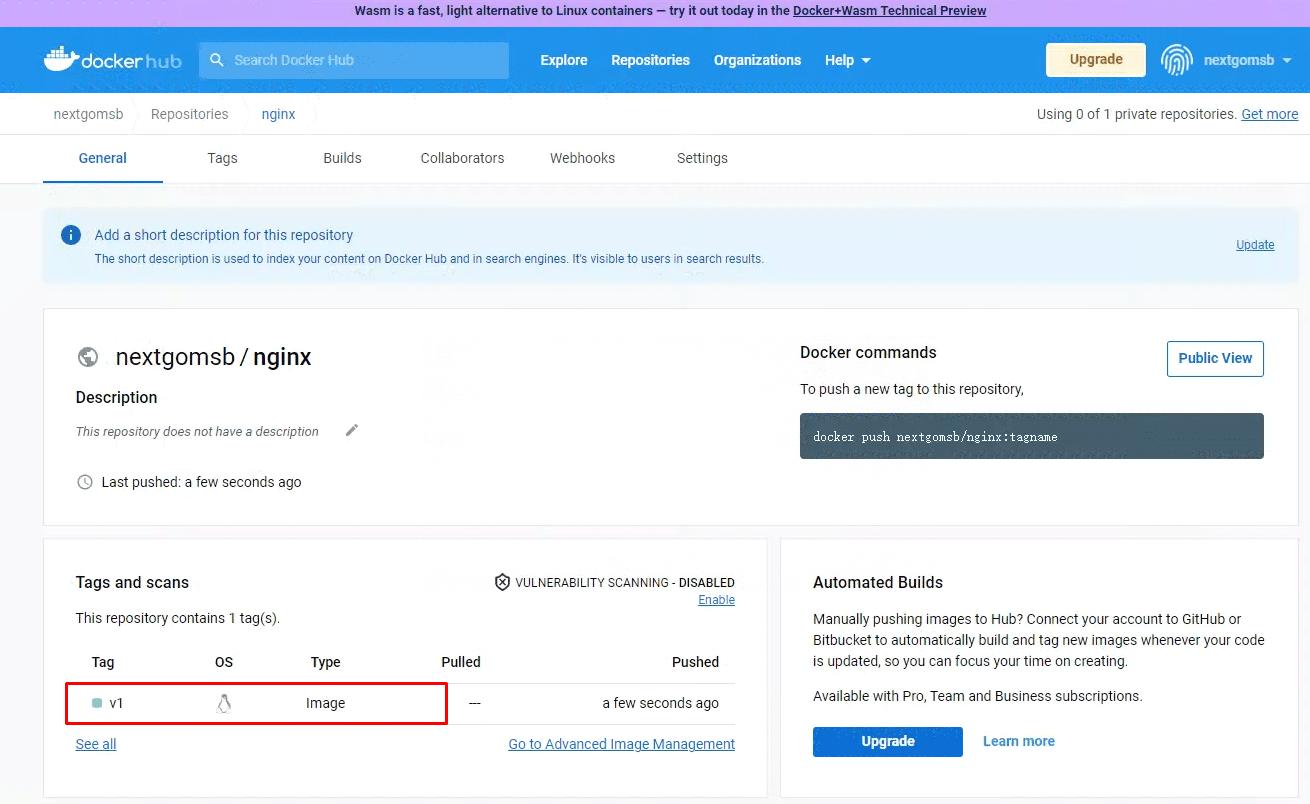
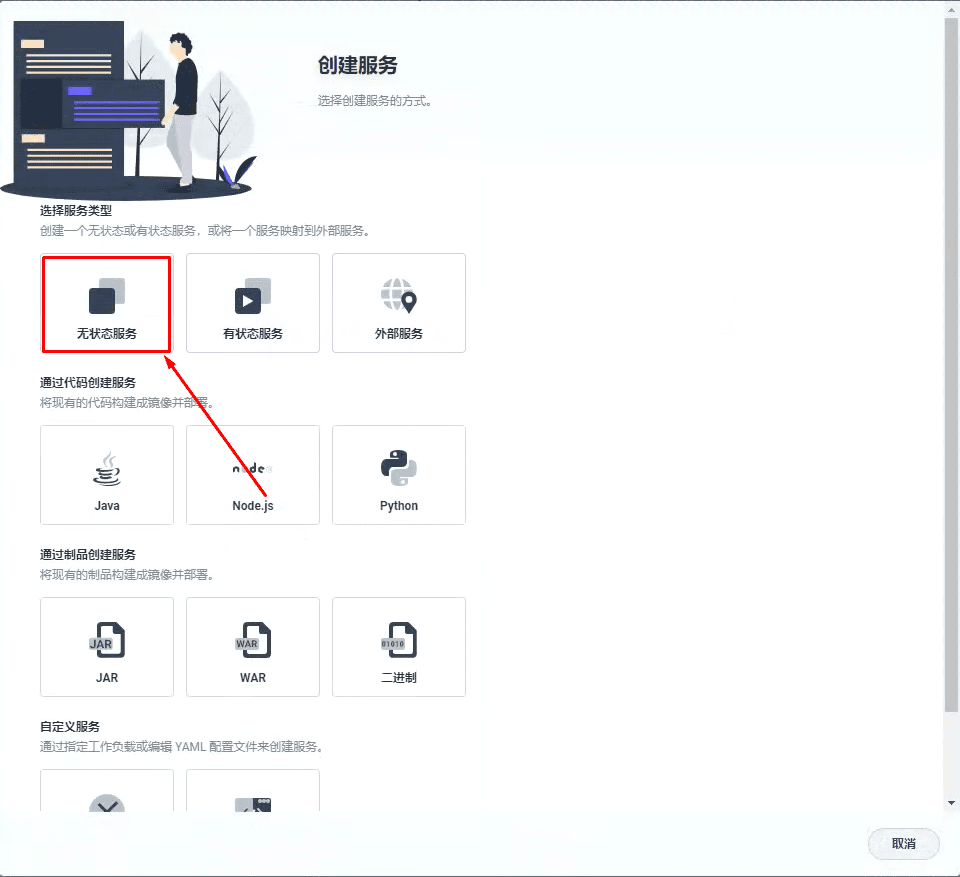
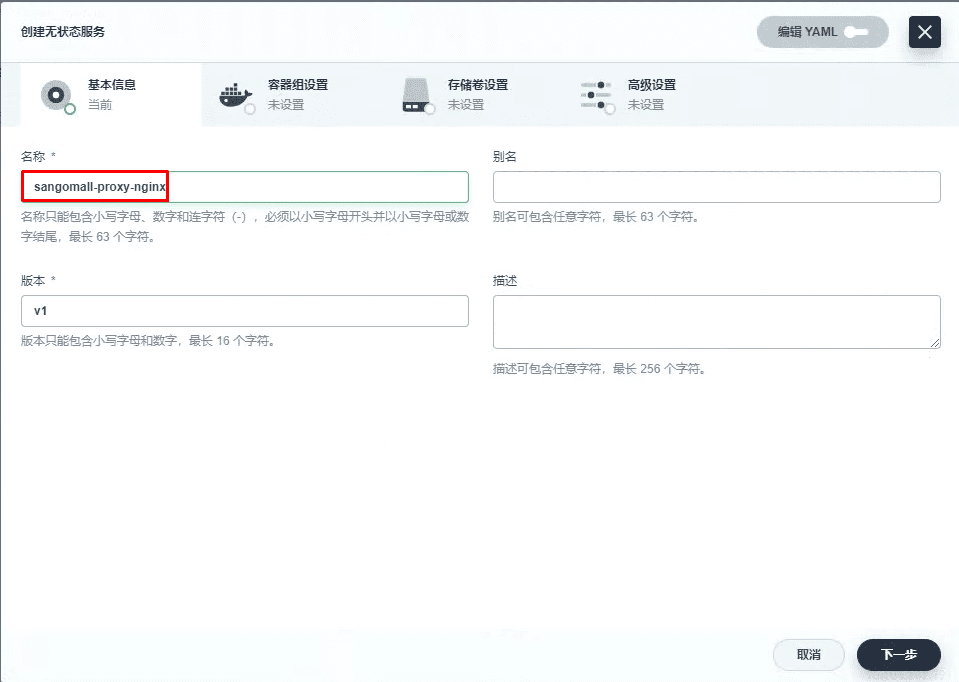
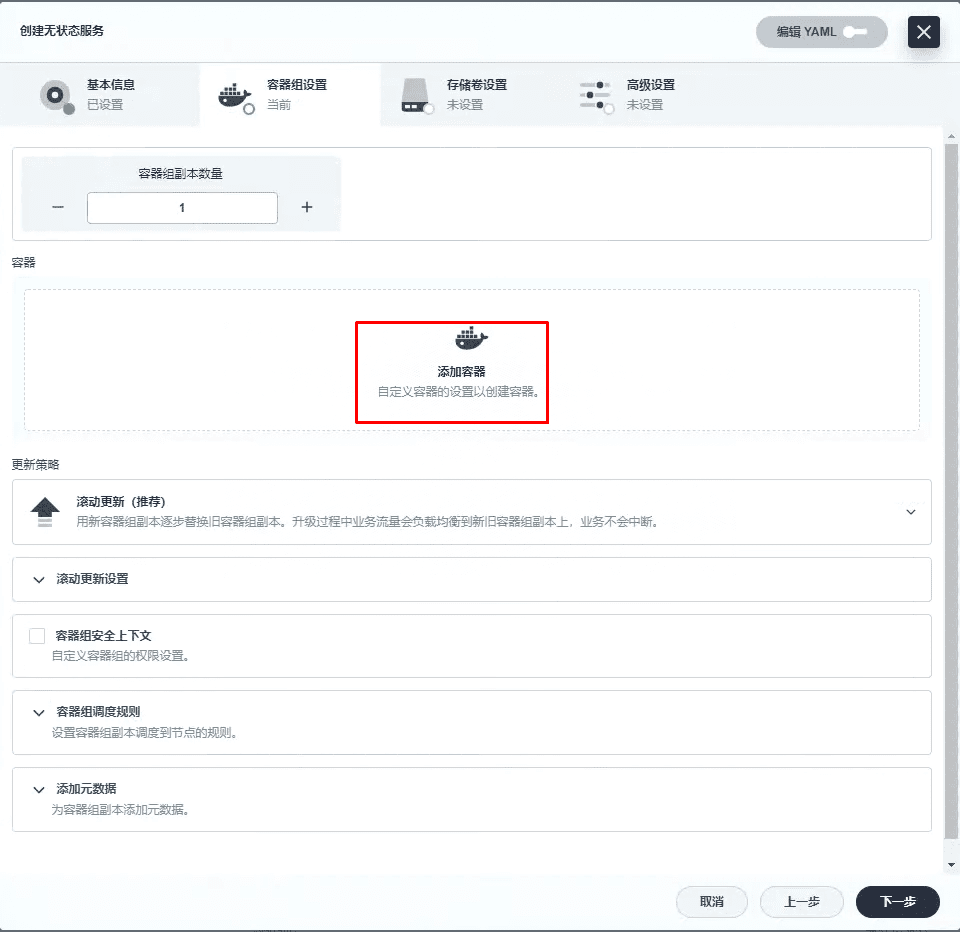
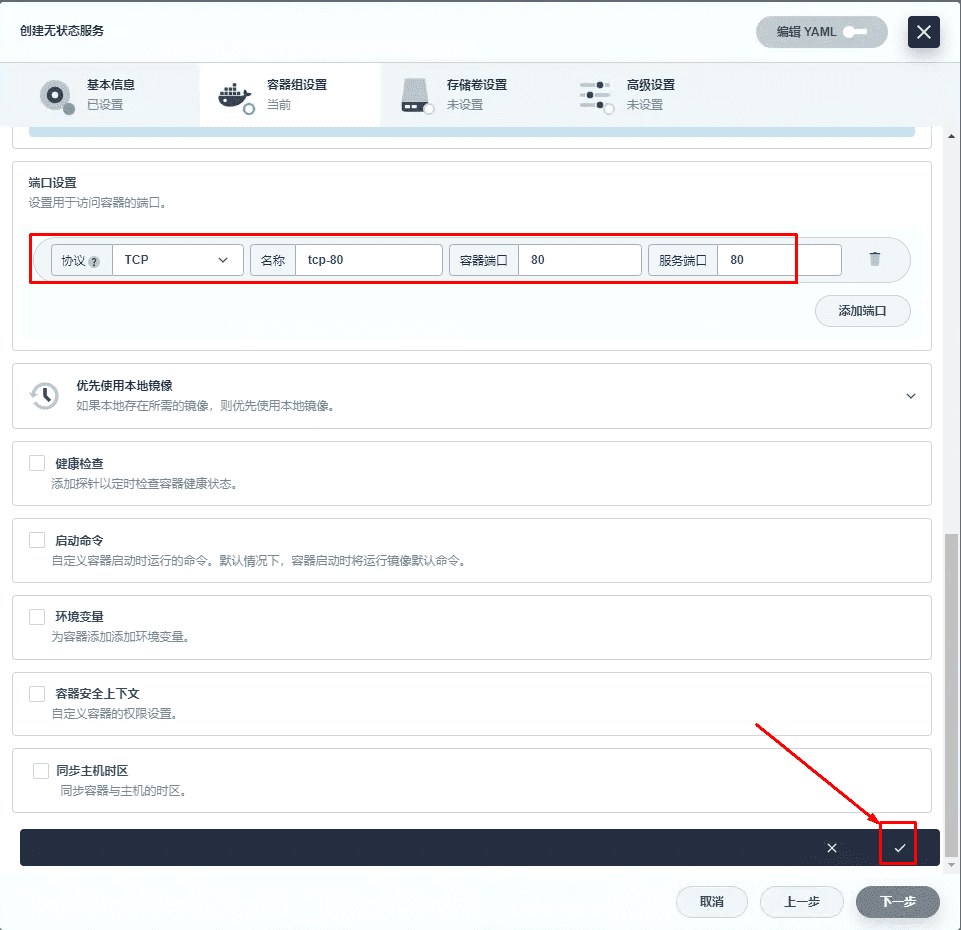
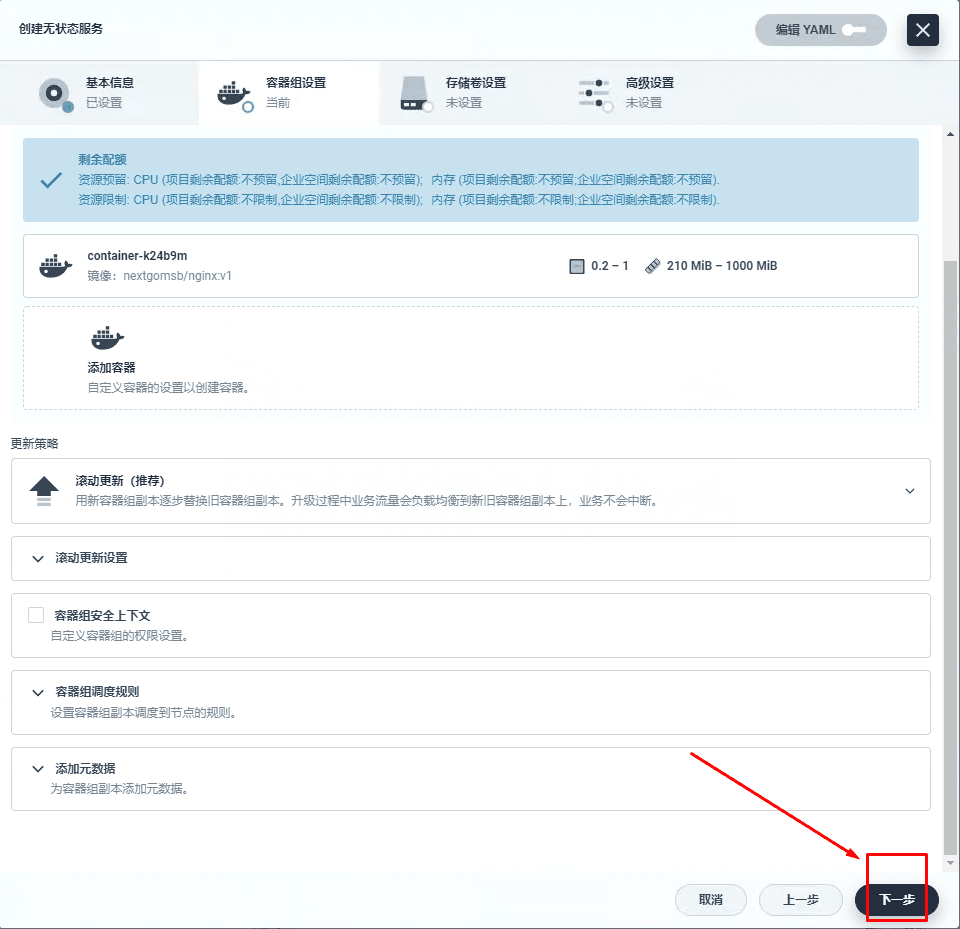
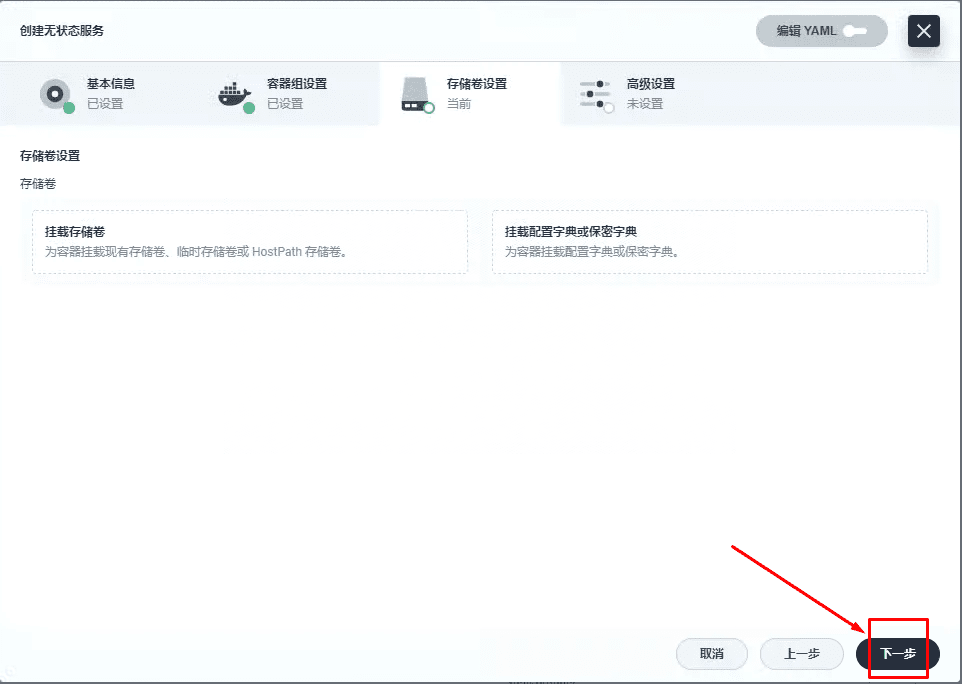
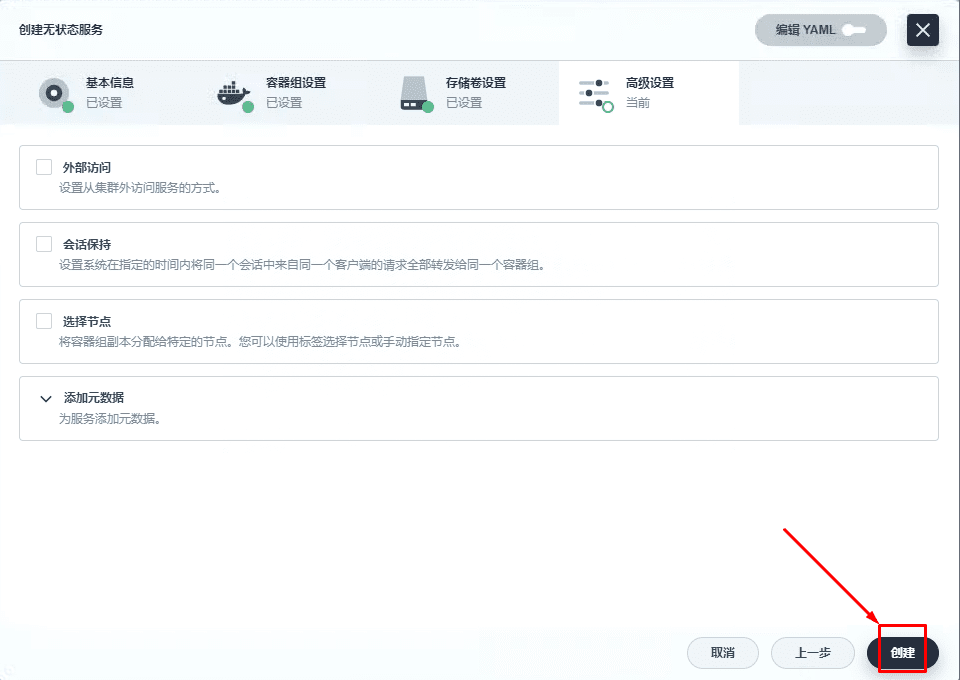
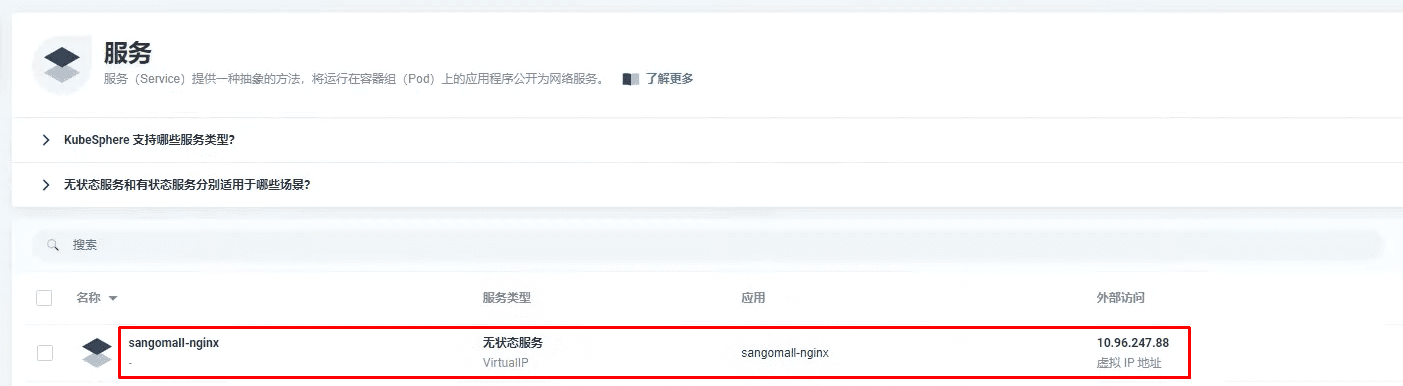
三、微服务项目前端代理服务部署及访问
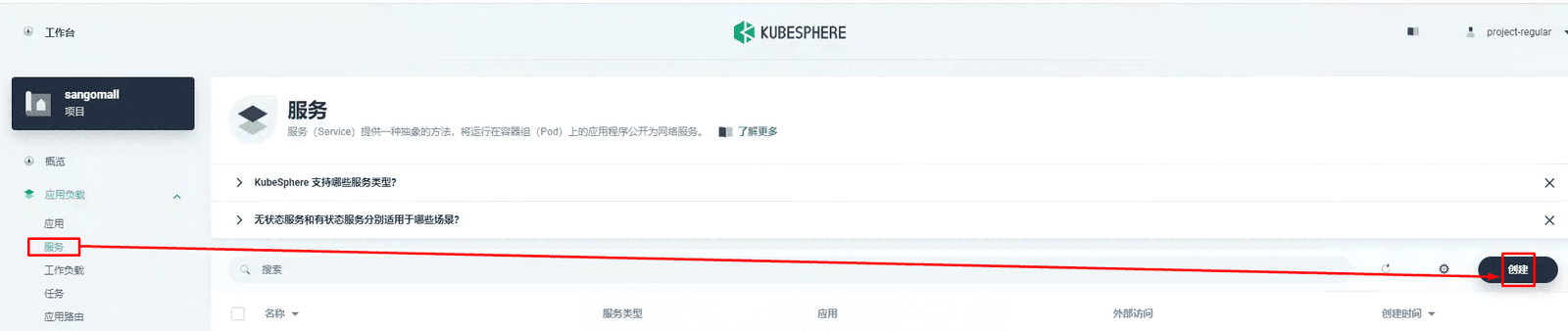
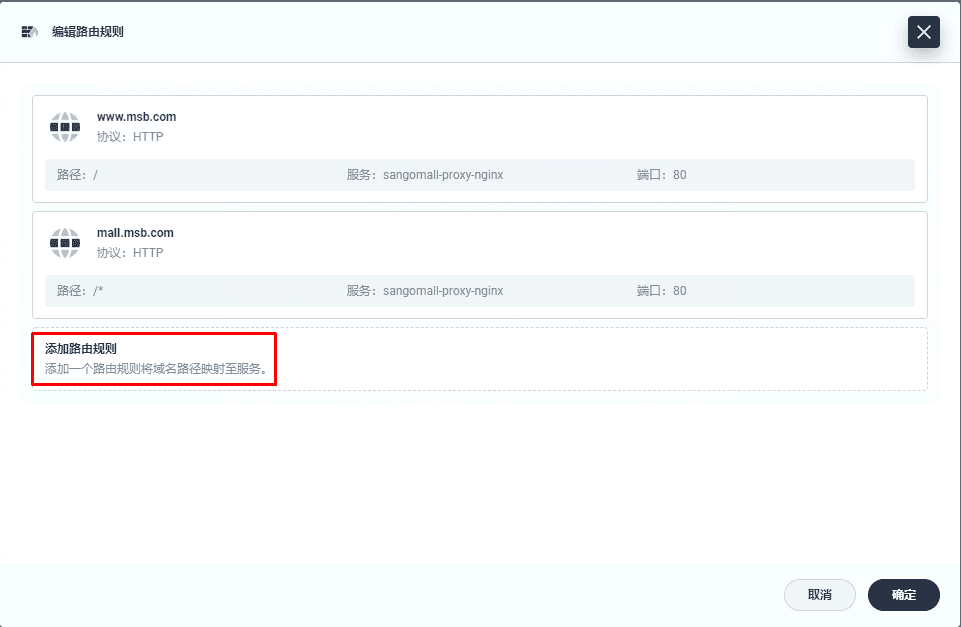
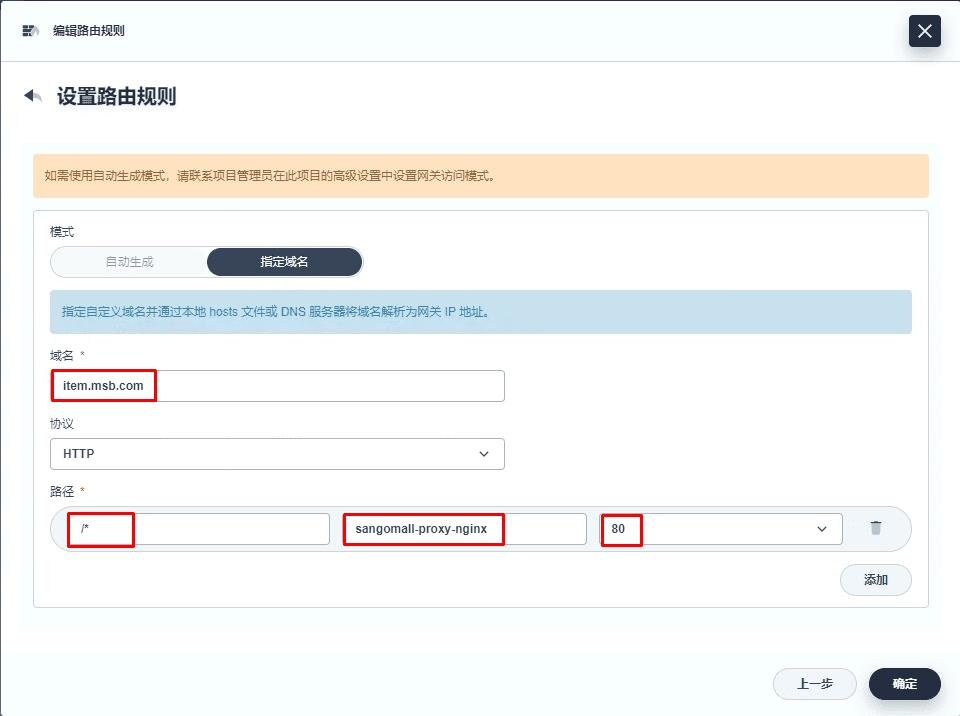
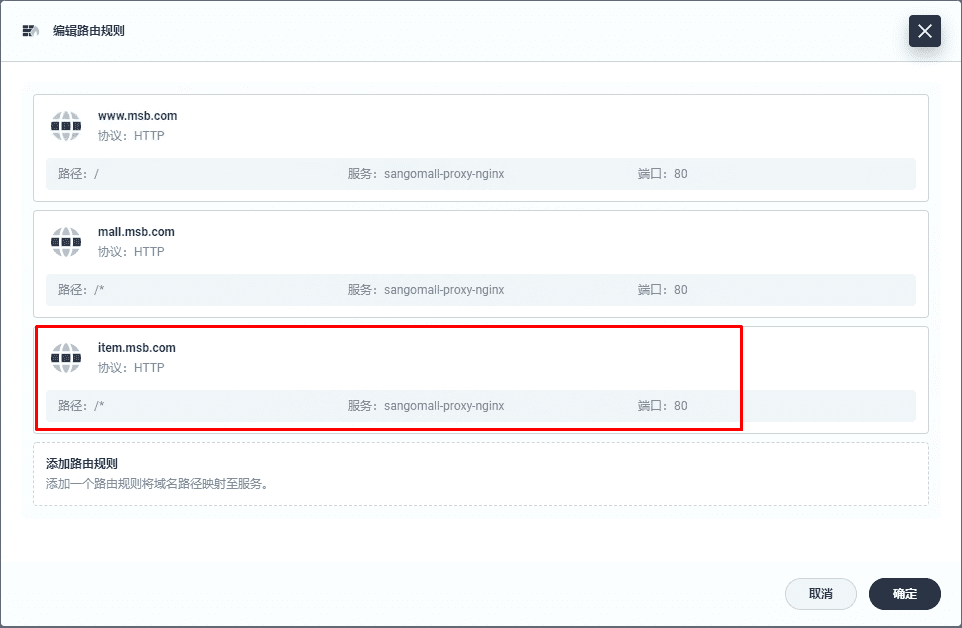
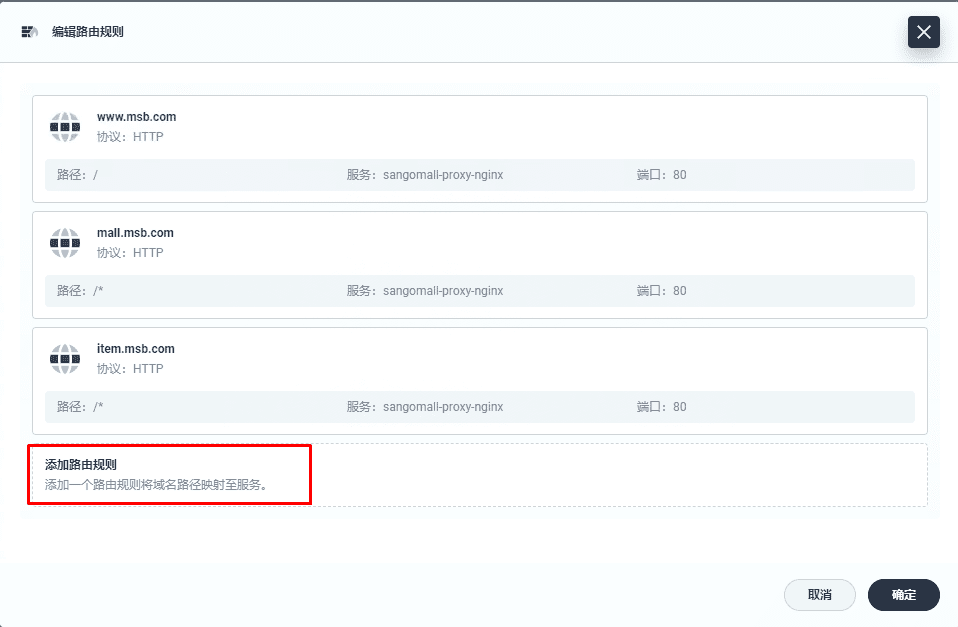
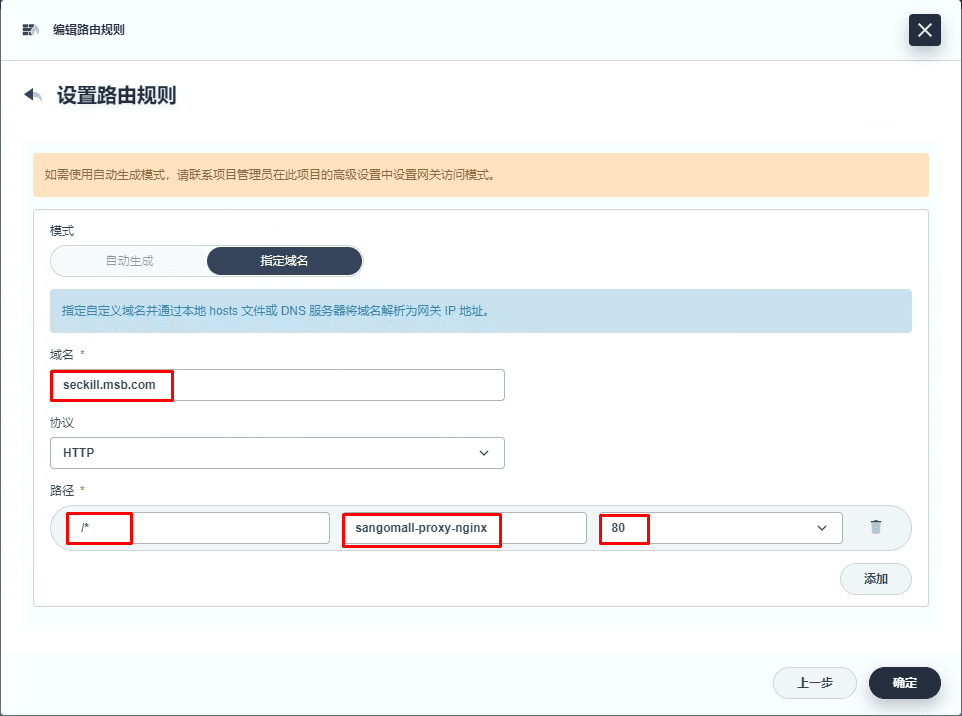
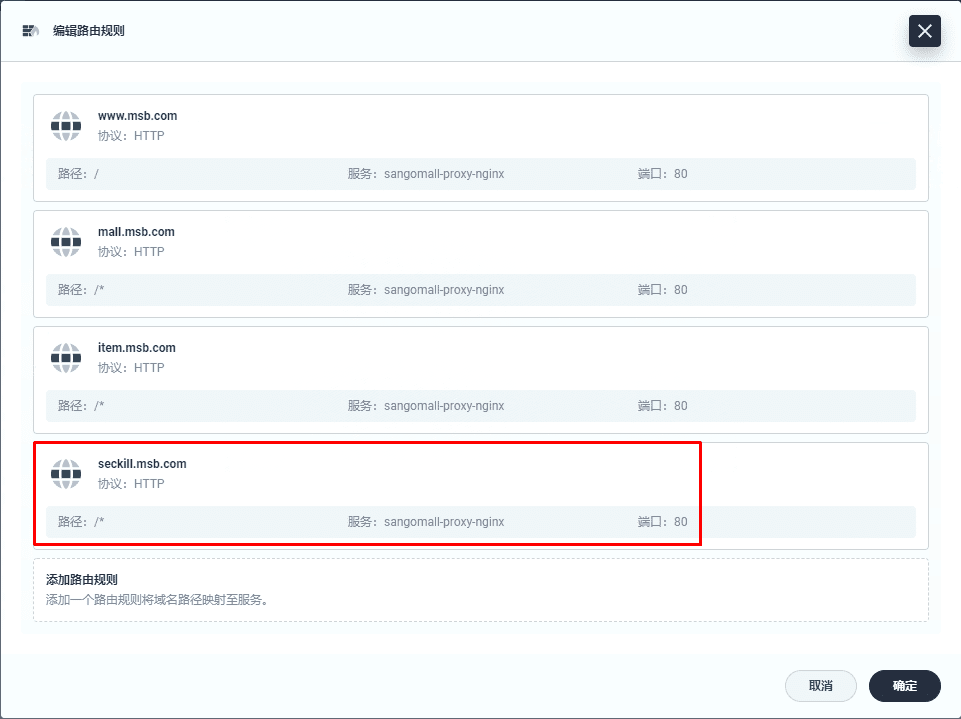
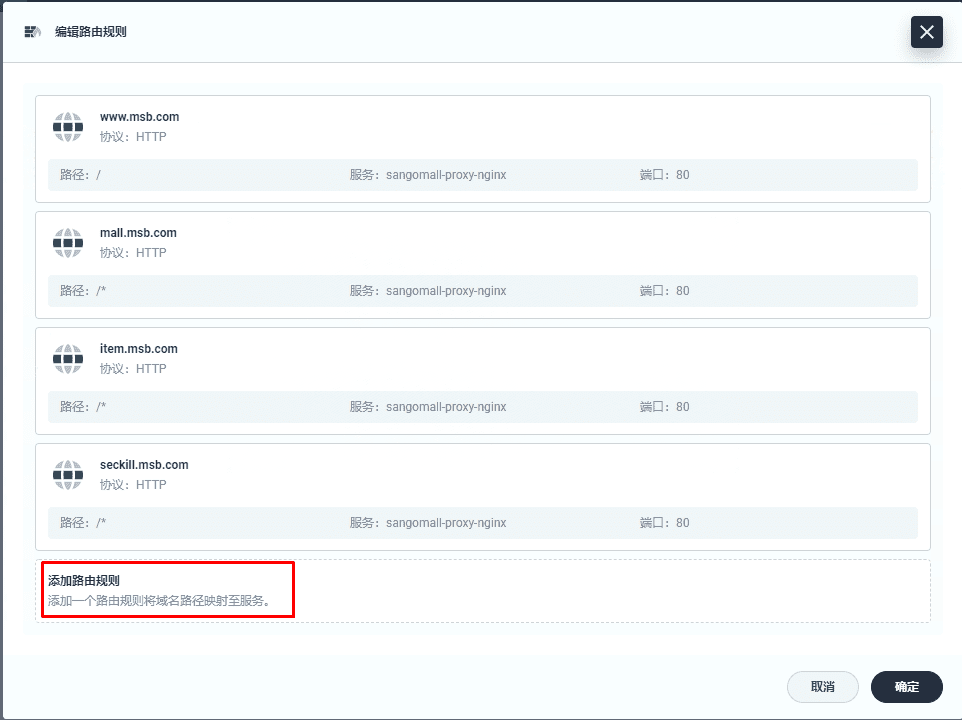
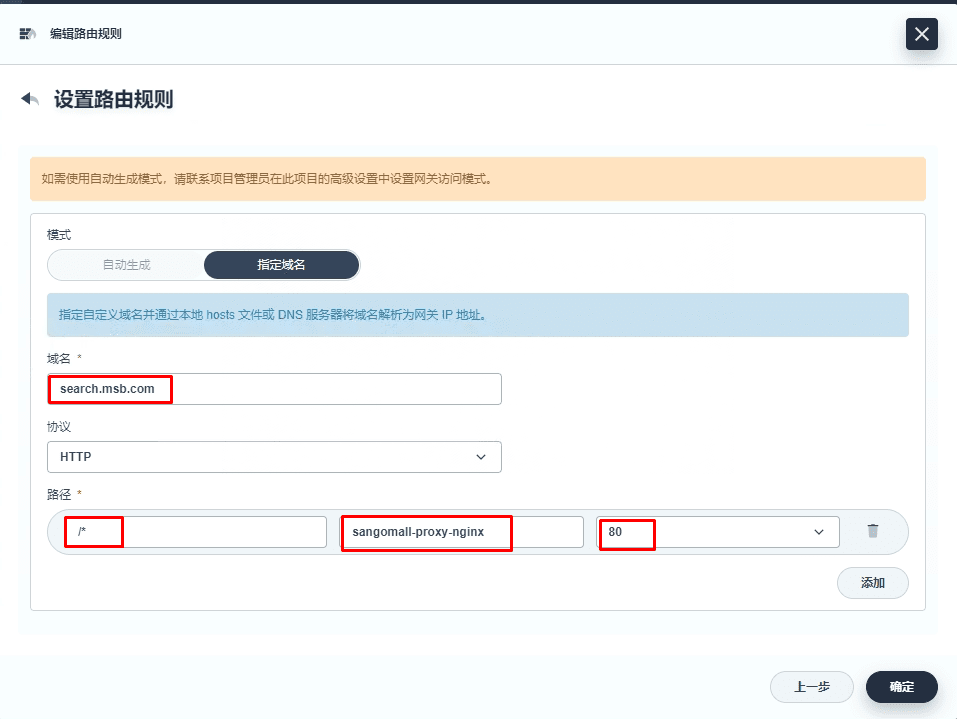
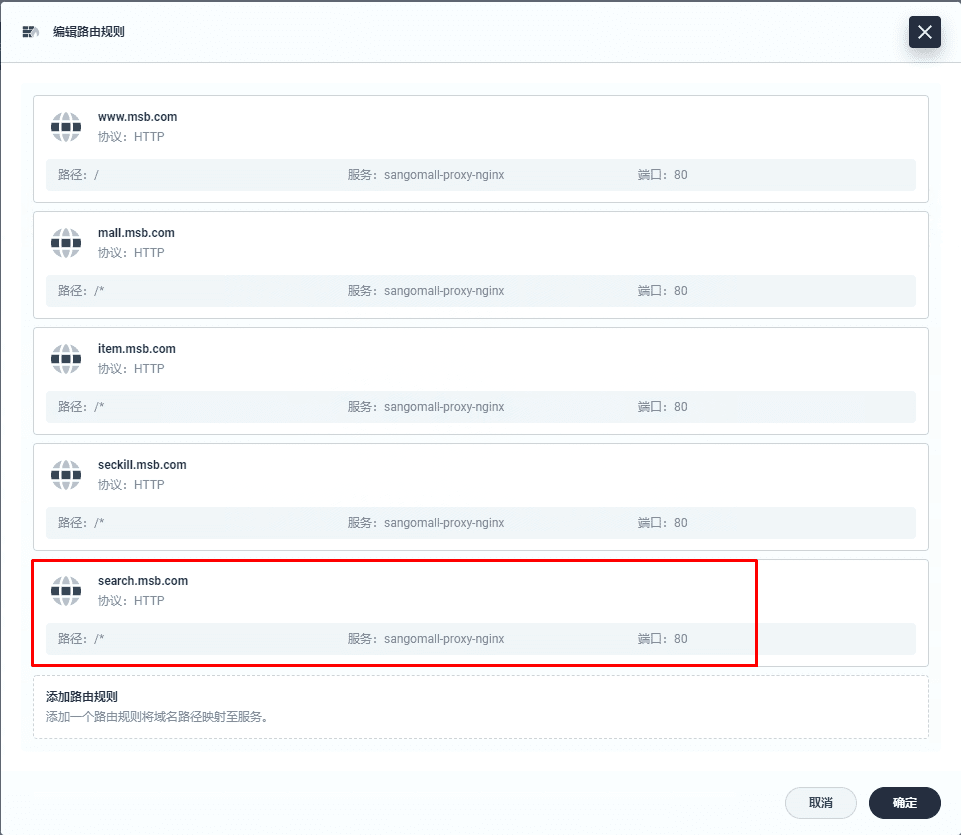
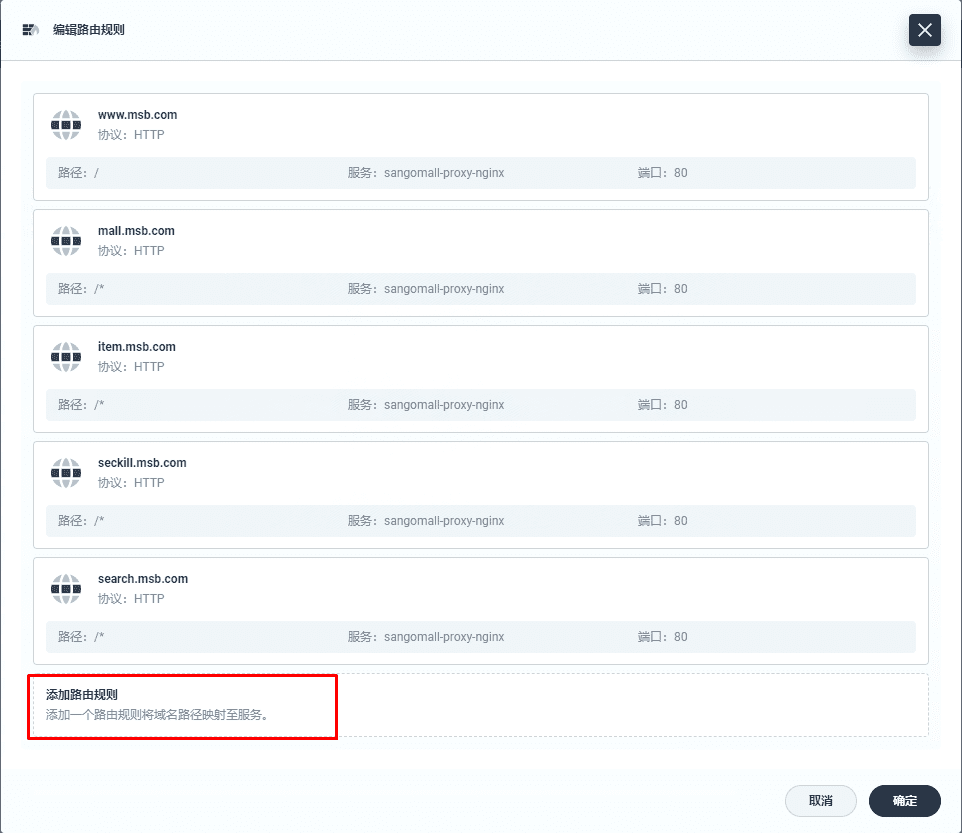
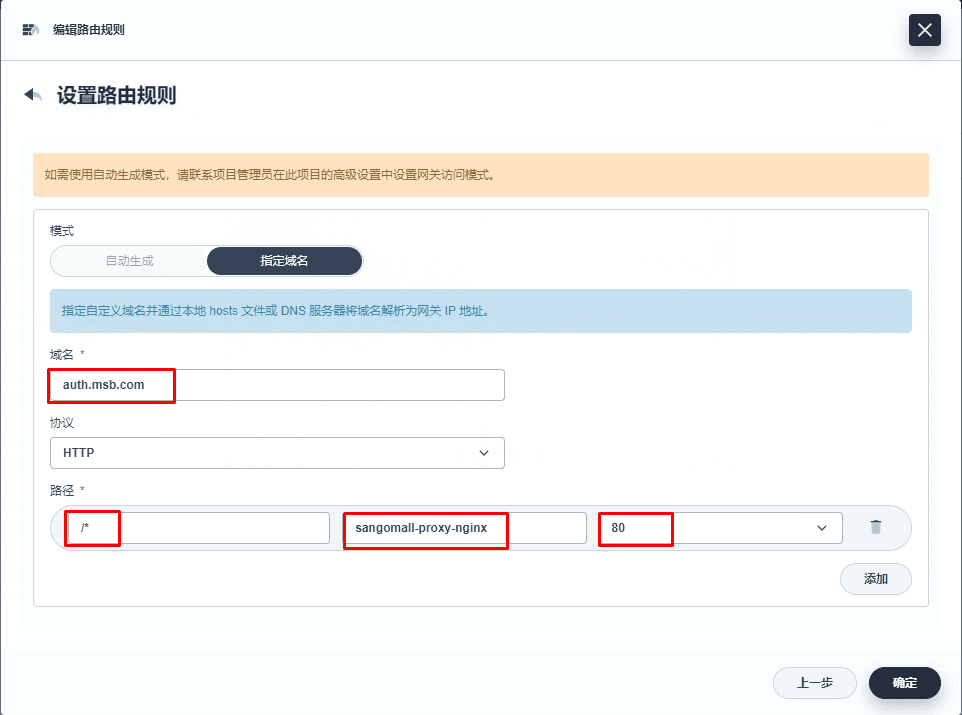
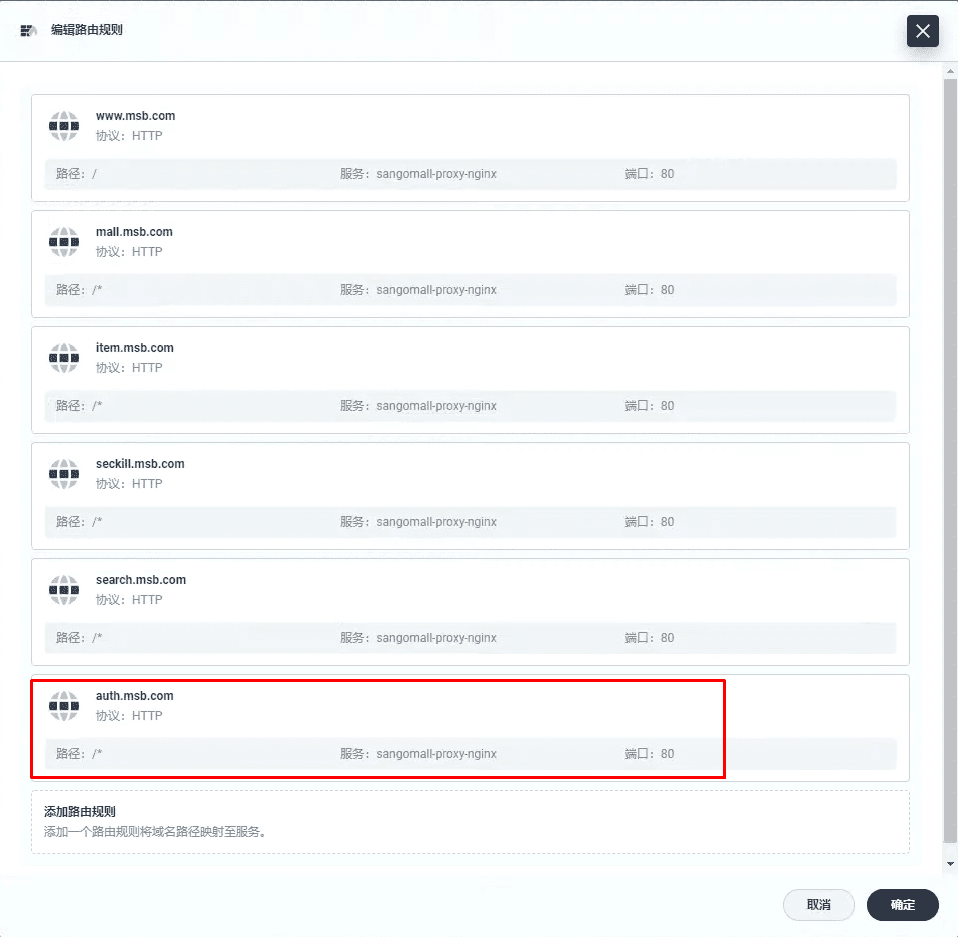
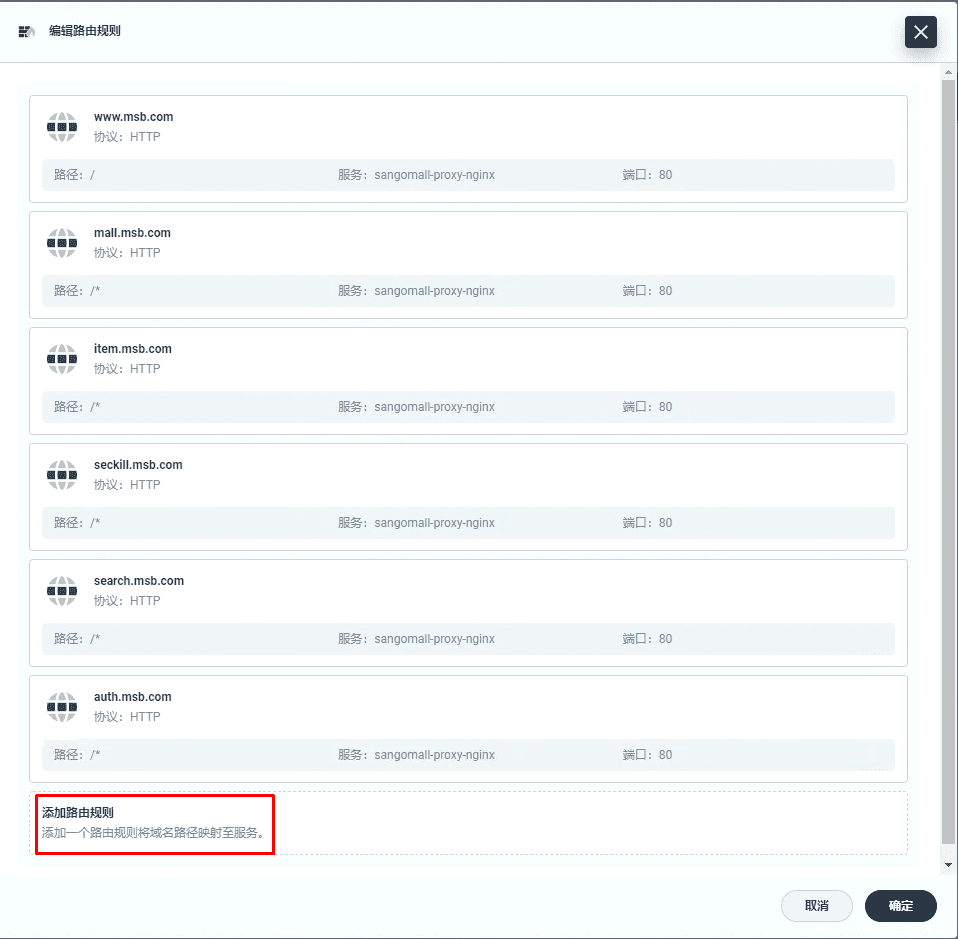
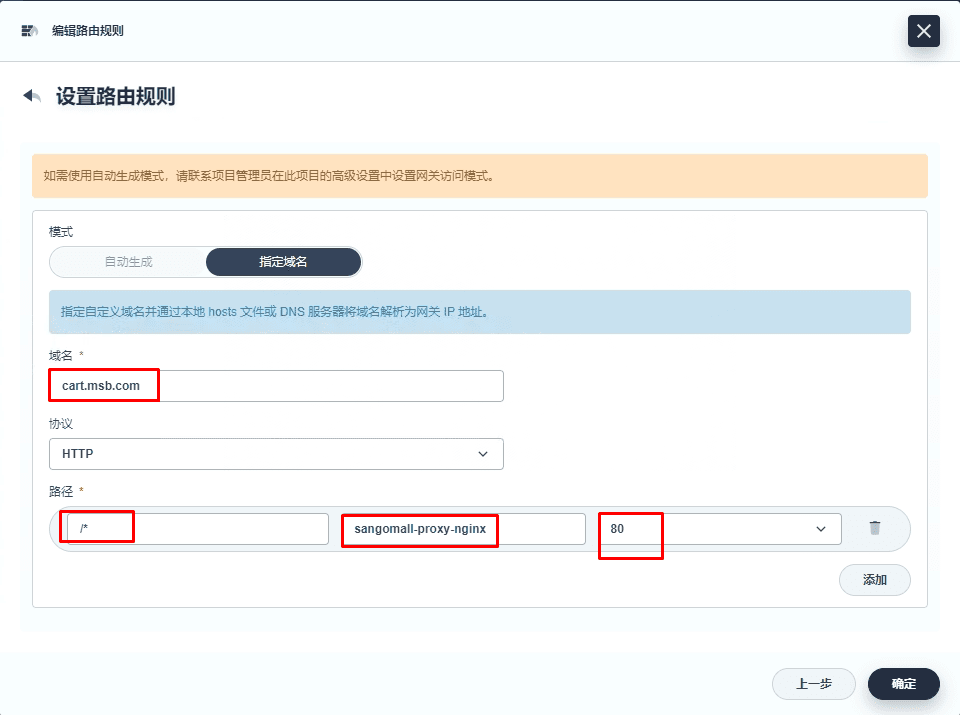
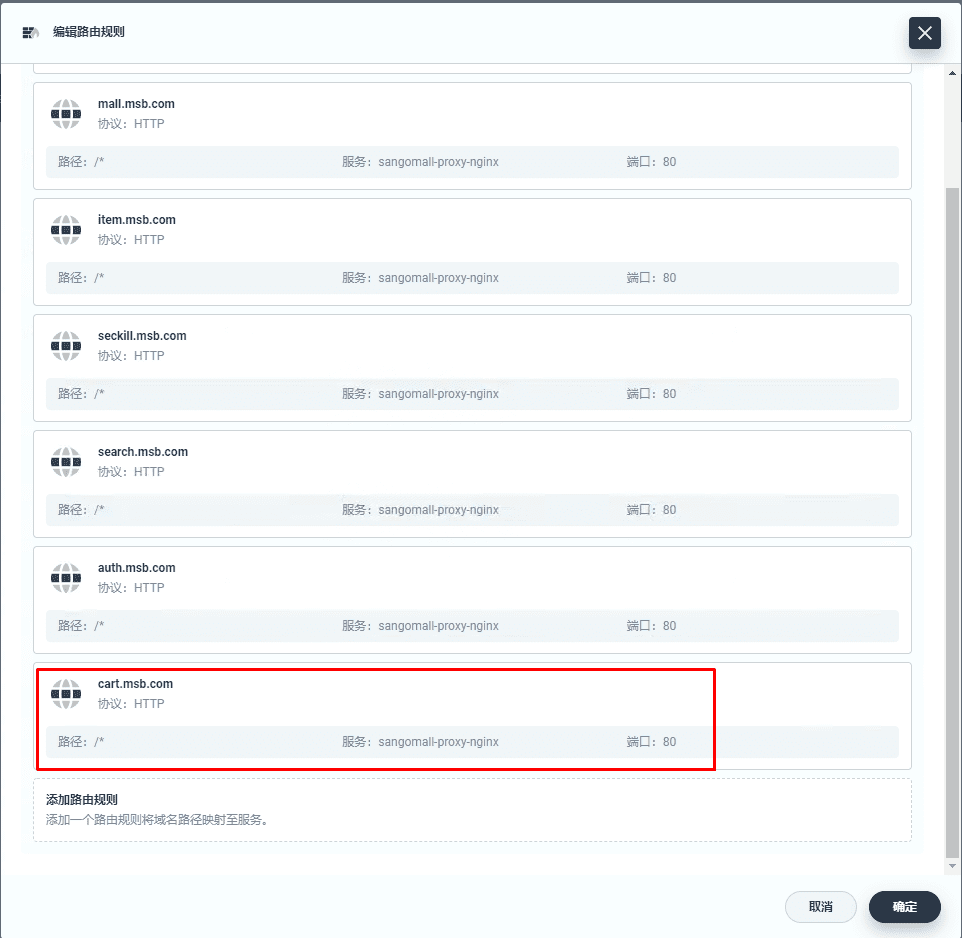
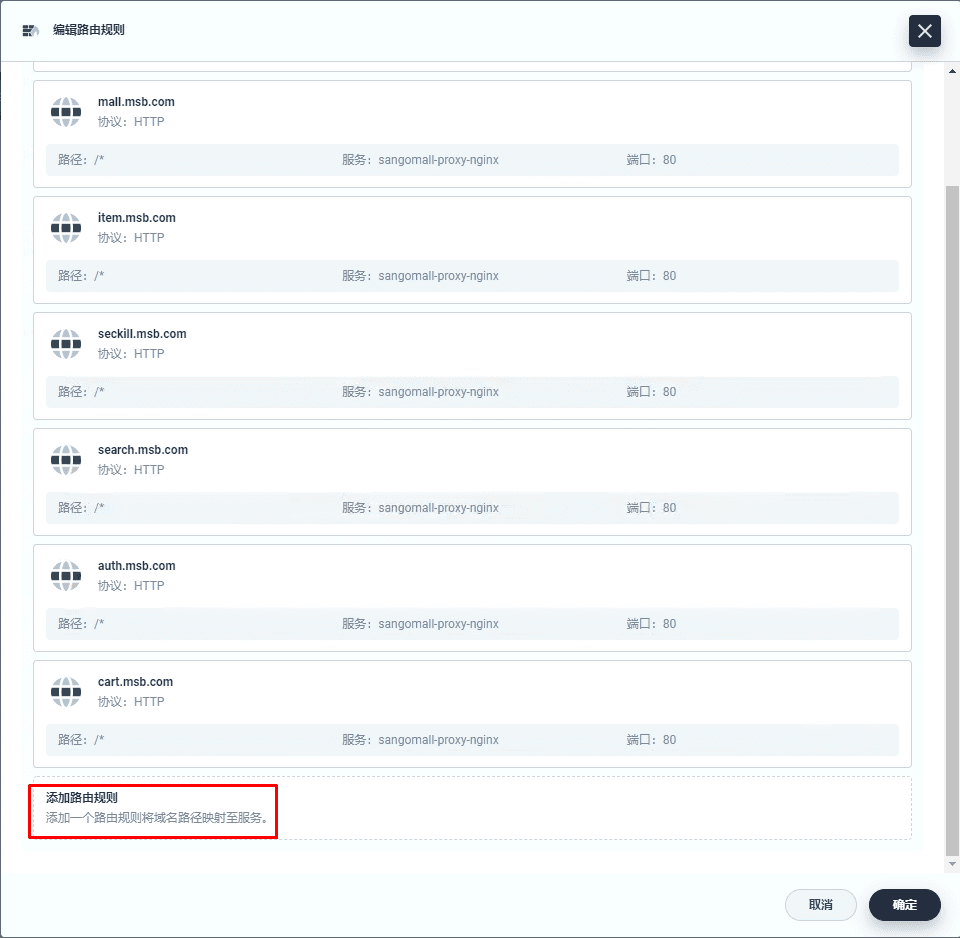
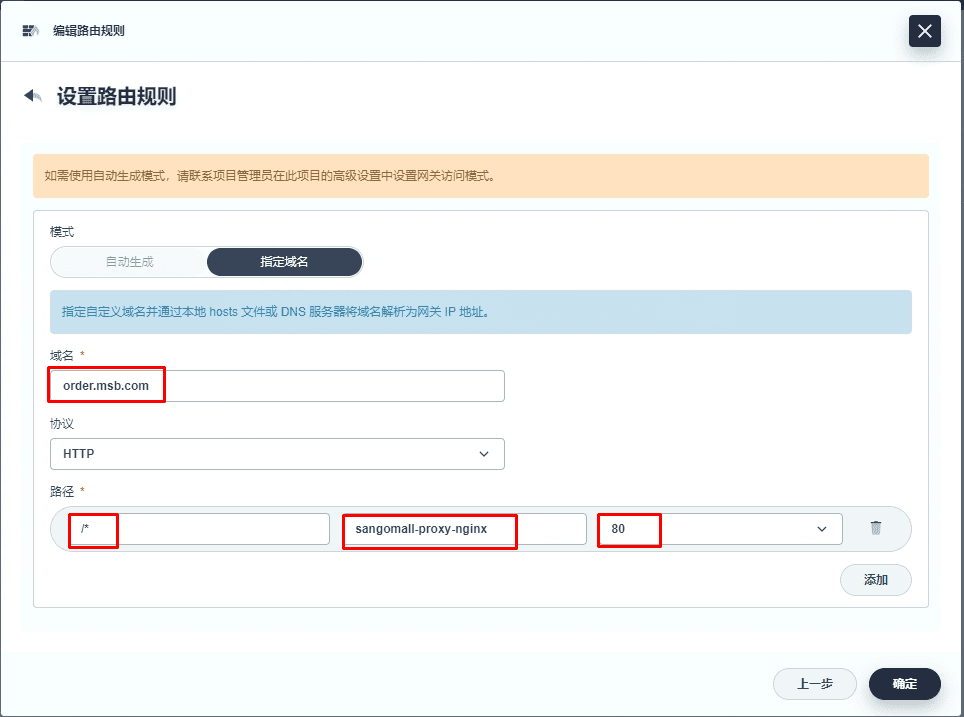
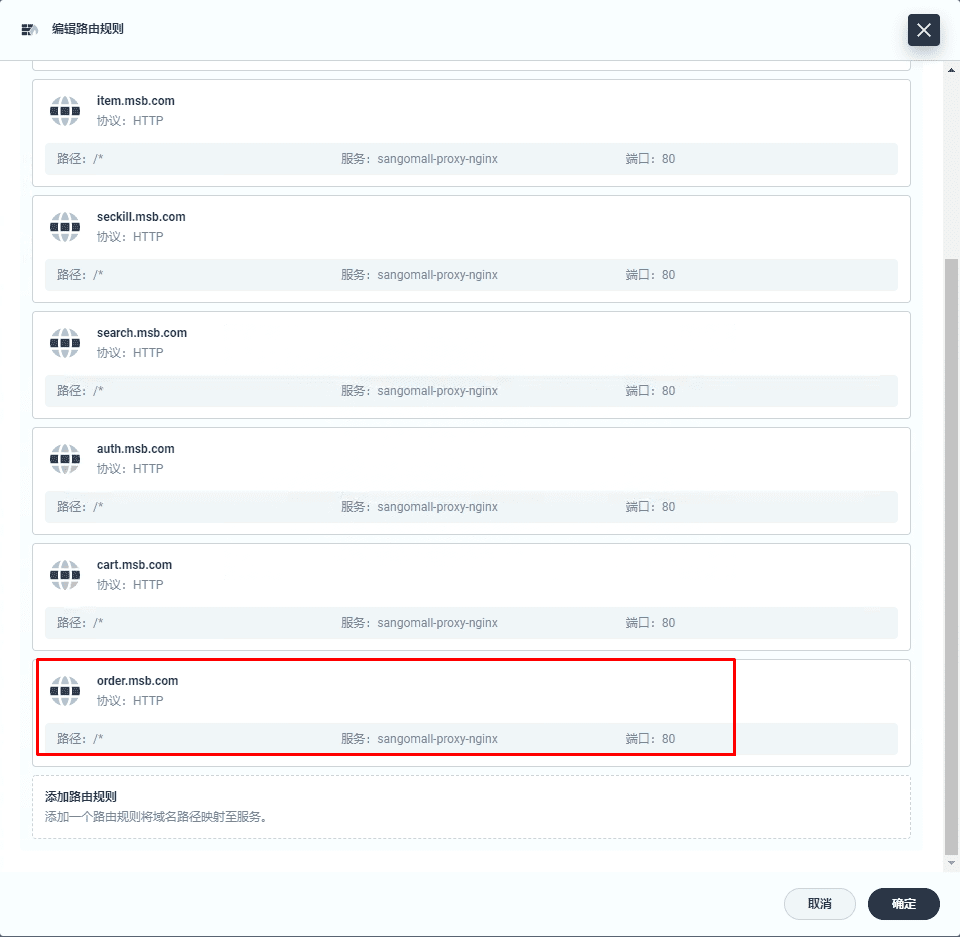
四、添加微服务访问路由规则
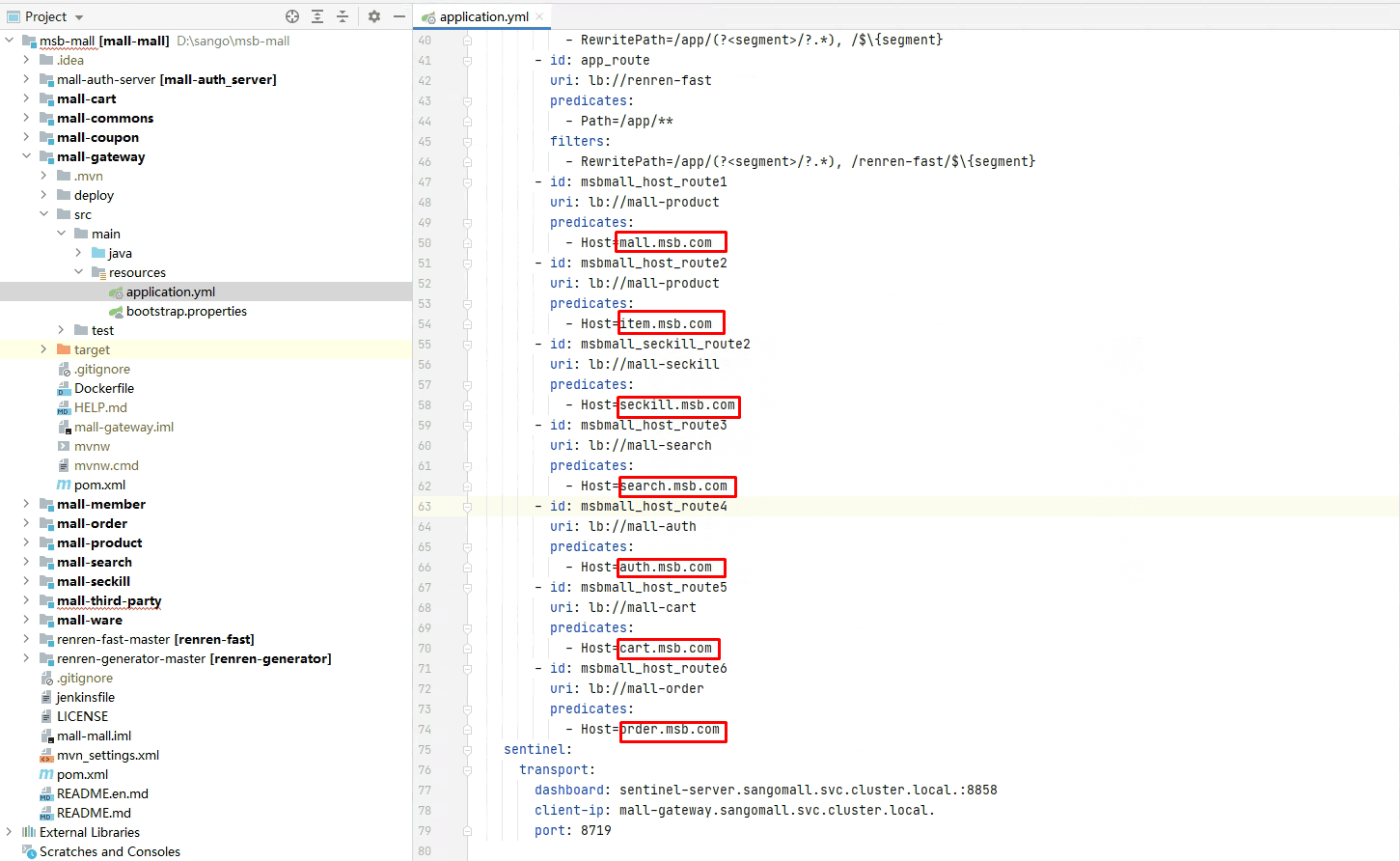
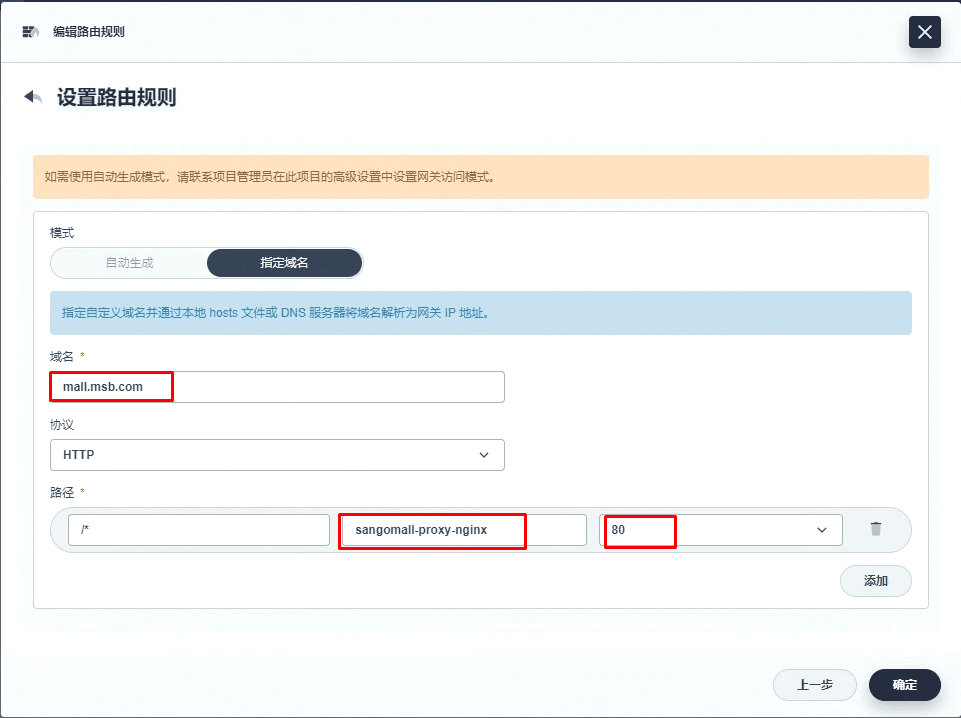
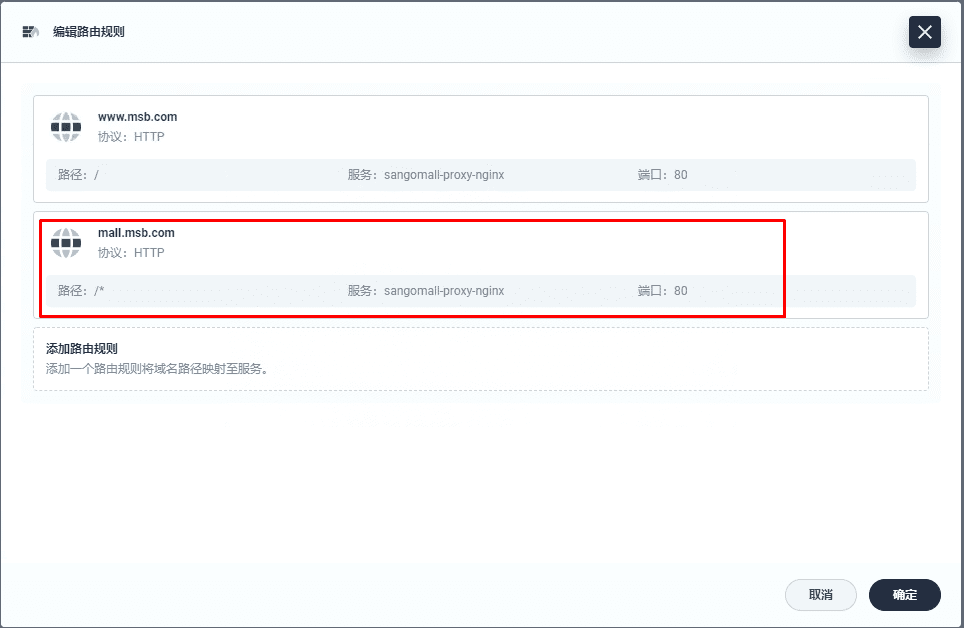
五、添加域名解析
[root@dnsserver ~]# cat /var/named/msb.com.zone
$TTL 1D
@       IN SOA  msb.com admin.msb.com. (
                                        0       ; serial
                                        1D      ; refresh
                                        1H      ; retry
                                        1W      ; expire
                                        3H )    ; minimum
@       NS      ns.msb.com.
ns      A       192.168.10.145
harbor  A       192.168.10.146
reg-test        A       192.168.10.70
kibana          A       192.168.10.70
rabbitmq        A       192.168.10.70
nacos-server    A       192.168.10.70
zipkin-server   A       192.168.10.70
sentinel-server A       192.168.10.70
skywalking-ui   A       192.168.10.70
rocketmq-dashboard      A       192.168.10.70
mall-gateway    A       192.168.10.73

mall    A       192.168.10.70
item    A       192.168.10.70
seckill A       192.168.10.70
search  A       192.168.10.70
auth    A       192.168.10.70
cart    A       192.168.10.70
order A 192.168.10.70[root@dnsserver ~]# systemctl restart named六、微服务商城访问