
AlmaLinux 9操作系统
2026/8/13大约 2 分钟
VIP 专题 · 第 1 篇
来源课程笔记整理优化;插图已迁入博客静态目录。
AlmaLinux 9操作系统
一、AlmaLinux 9 操作系统安装
安装过程与RHEL 9/CentOS7 一致。
二、AlmaLinux 9 操作系统配置
2.1 关闭防火墙
# systemctl disable --now firewalld2.2 关闭SELinux
[root@localhost ~]# getenforce
Enforcing
[root@localhost ~]# setenforce 0
[root@localhost ~]# getenforce
Permissive[root@localhost ~]# vim /etc/selinux/config
[root@localhost ~]# cat /etc/selinux/config
# This file controls the state of SELinux on the system.
# SELINUX= can take one of these three values:
# enforcing - SELinux security policy is enforced.
# permissive - SELinux prints warnings instead of enforcing.
# disabled - No SELinux policy is loaded.
# See also:
# https://docs.fedoraproject.org/en-US/quick-docs/getting-started-with-selinux/#getting-started-with-selinux-selinux-states-and-modes
#
# NOTE: In earlier Fedora kernel builds, SELINUX=disabled would also
# fully disable SELinux during boot. If you need a system with SELinux
# fully disabled instead of SELinux running with no policy loaded, you
# need to pass selinux=0 to the kernel command line. You can use grubby
# to persistently set the bootloader to boot with selinux=0:
#
# grubby --update-kernel ALL --args selinux=0
#
# To revert back to SELinux enabled:
#
# grubby --update-kernel ALL --remove-args selinux
#
SELINUX=disabled 由默认enforcing修改为disabled
# SELINUXTYPE= can take one of these three values:
# targeted - Targeted processes are protected,
# minimum - Modification of targeted policy. Only selected processes are protected.
# mls - Multi Level Security protection.
SELINUXTYPE=targeted
[root@localhost ~]# reboot2.3 配置网络
[root@localhost ~]# cat /etc/NetworkManager/system-connections/ens33.nmconnection
[connection]
id=ens33
uuid=03863407-2055-3663-9dd5-28a8d6f209b3
type=ethernet
autoconnect-priority=-999
interface-name=ens33
timestamp=1698147848

[ethernet]

[ipv4]
method=auto

[ipv6]
addr-gen-mode=eui64
method=auto

[proxy]
[root@localhost ~]# vim /etc/NetworkManager/system-connections/ens33.nmconnection
[root@localhost ~]# cat /etc/NetworkManager/system-connections/ens33.nmconnection
[connection]
id=ens33
uuid=03863407-2055-3663-9dd5-28a8d6f209b3
type=ethernet
autoconnect-priority=-999
interface-name=ens33
timestamp=1698147848

[ethernet]

[ipv4]
address1=192.168.10.190/24,192.168.10.2
dns=119.29.29.29;8.8.8.8
method=manual

[ipv6]
addr-gen-mode=eui64
method=auto

[proxy][root@localhost ~]# nmcli c reload[root@localhost ~]# nmcli c up ens33[root@localhost ~]# ip a s ens33
2: ens33: <BROADCAST,MULTICAST,UP,LOWER_UP> mtu 1500 qdisc fq_codel state UP group default qlen 1000
link/ether 00:0c:29:6a:c9:72 brd ff:ff:ff:ff:ff:ff
altname enp2s1
inet 192.168.10.190/24 brd 192.168.10.255 scope global noprefixroute ens33
valid_lft forever preferred_lft forever
inet6 fe80::20c:29ff:fe6a:c972/64 scope link noprefixroute
valid_lft forever preferred_lft forever[root@localhost ~]# cat /etc/resolv.conf
# Generated by NetworkManager
nameserver 119.29.29.29
nameserver 8.8.8.82.4 时间同步
[root@localhost ~]# timedatectl[root@localhost ~]# dnf install chrony curl wget[root@localhost ~]# systemctl status chronyd2.5 修改允许root用户通过ssh远程连接
# vim /etc/ssh/sshd_config

# PermitRootLogin prohibit-password
PermitRootLogin yes
# systemctl restart sshd2.6 dnf 阿里云源配置
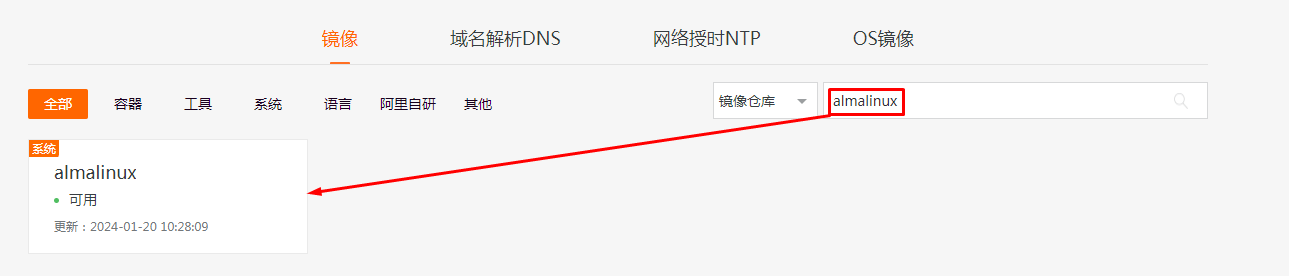
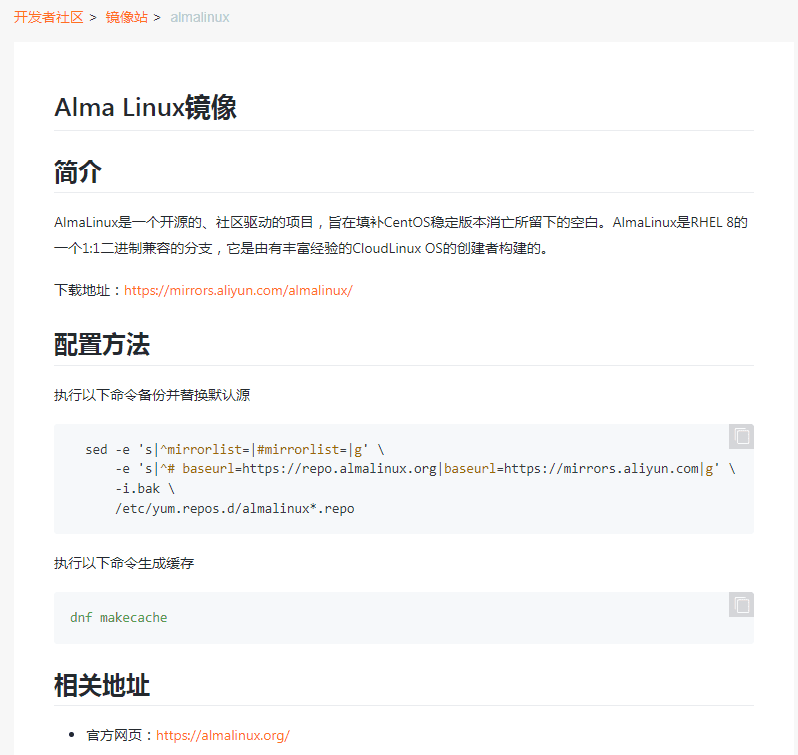
  sed -e 's|^mirrorlist=|#mirrorlist=|g' \
      -e 's|^# baseurl=https://repo.almalinux.org|baseurl=https://mirrors.aliyun.com|g' \
      -i.bak \
      /etc/yum.repos.d/almalinux*.repo
# dnf update2.7 移除podman
# dnf remove podman