
Spring Boot 整合 ES 与商品搜索实战
2026/10/25大约 3 分钟
Elasticsearch 系列 · 第 6/10 篇
上一篇:《搜索相关性与聚合分析》
下一篇预告:《深度分页问题与自定义分词》
开头:场景与目标
REST API 适合运维,Spring Boot 项目更需要声明式集成。本篇从 Spring Data Elasticsearch 入门,到图灵商城商品搜索的完整建模、筛选、排序与高亮实战。
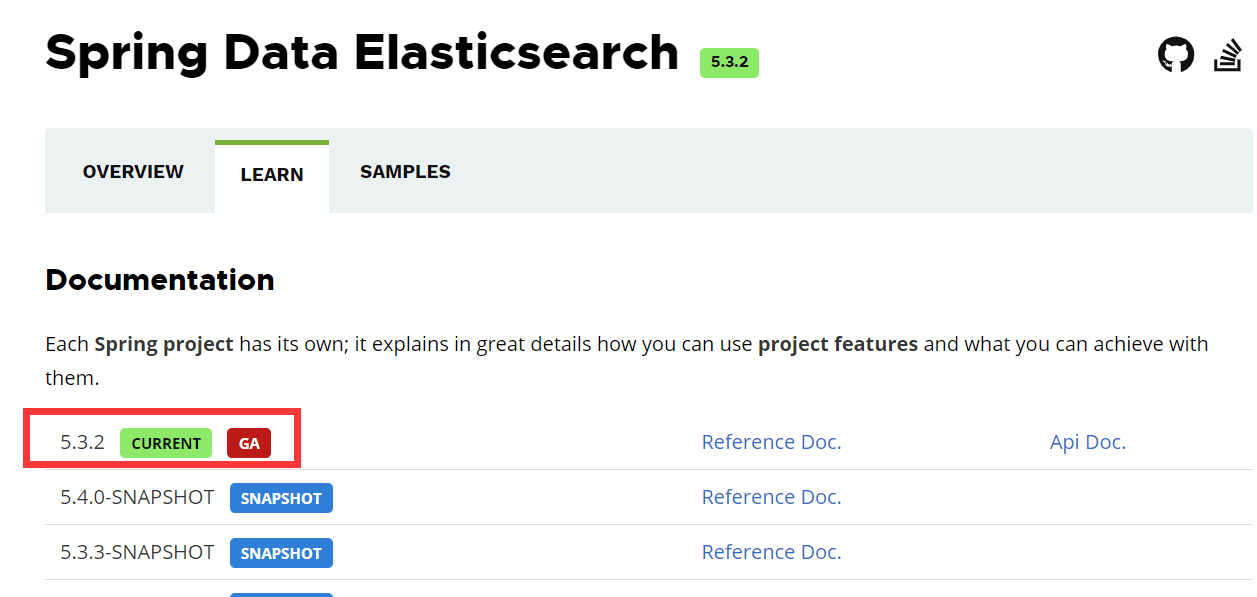
一、Spring Data Elasticsearch 入门
Spring Data Elasticsearch 封装原生 REST Client,提供 Repository 与 Template 两种编程模型。
1.1 版本选型
| ES 版本 | Spring Data ES | Spring Boot |
|---|---|---|
| 8.14.x | 5.3.x | 3.3.x |
1.2 依赖与配置
<dependency>
  <groupId>org.springframework.boot</groupId>
  <artifactId>spring-boot-starter-data-elasticsearch</artifactId>
</dependency>
方式一:yml
spring:
  elasticsearch:
    uris: http://localhost:9200
    connection-timeout: 3s
方式二:Java Config
@Configuration
public class MyESClientConfig extends ElasticsearchConfiguration {
    @Override
    public ClientConfiguration clientConfiguration() {
        return ClientConfiguration.builder()
            .connectedTo("localhost:9200")
            .build();
    }
}
二、ElasticsearchRepository 方式
2.1 实体与 Repository
@Data
@Document(indexName = "employees")
public class Employee {
    @Id
    private Long id;
    @Field(type = FieldType.Keyword)
    private String name;
    private int sex;
    private int age;
    @Field(type = FieldType.Text, analyzer = "ik_max_word")
    private String address;
    private String remark;
}

@Repository
public interface EmployeeRepository
        extends ElasticsearchRepository<Employee, Long> {
    List<Employee> findByName(String name);
}
2.2 CRUD 测试
@Autowired
EmployeeRepository employeeRepository;

@Test
public void testDocument() {
    Employee emp = new Employee(10L, "fox666", 1, 32, "长沙麓谷", "java architect");
    employeeRepository.save(emp);

    Optional<Employee> result = employeeRepository.findById(10L);
    List<Employee> list = employeeRepository.findByName("fox666");
}
Repository 支持方法名派生查询,详见 官方文档。
三、ElasticsearchTemplate 方式
RestHighLevelClient 已废弃,Spring Data ES 5.x 封装 ElasticsearchClient 为 ElasticsearchTemplate。
@Autowired
ElasticsearchTemplate elasticsearchTemplate;

@Test
public void testCreateIndex() {
    var ops = elasticsearchTemplate.indexOps(Employee.class);
    if (ops.exists()) ops.delete();

    Map<String, Object> settings = Map.of(
        "number_of_shards", 1,
        "number_of_replicas", 1
    );
    ops.create(settings);
    ops.putMapping(ops.createMapping());
}
文档操作:
// 保存
elasticsearchTemplate.save(employee);

// 按 ID 查
Employee emp = elasticsearchTemplate.get("10", Employee.class);

// 删除
elasticsearchTemplate.delete("10", Employee.class);
四、NativeQuery 复杂检索
NativeQuery query = NativeQuery.builder()
    .withQuery(q -> q.match(m -> m.field("address").query("广州")))
    .withPageable(PageRequest.of(0, 10))
    .withSort(s -> s.field(f -> f.field("age").order(SortOrder.Desc)))
    .build();

SearchHits<Employee> hits = elasticsearchTemplate.search(query, Employee.class);
hits.forEach(h -> log.info("{} score={}", h.getContent(), h.getScore()));
五、图灵商城商品搜索实战
5.1 商品 Mapping 设计
PUT /product
{
  "mappings": {
    "properties": {
      "id":          { "type": "long" },
      "title":       { "type": "text", "analyzer": "ik_smart" },
      "categoryId":  { "type": "long" },
      "brandId":     { "type": "long" },
      "price":       { "type": "double" },
      "saleCount":   { "type": "integer" },
      "hotScore":    { "type": "integer" },
      "attrs": {
        "type": "nested",
        "properties": {
          "attrId":   { "type": "long" },
          "attrValue": { "type": "keyword" }
        }
      }
    }
  }
}
5.2 搜索请求 DTO
@Data
public class SearchParam {
    private String keyword;
    private Long categoryId;
    private Long brandId;
    private Double priceMin;
    private Double priceMax;
    private Map<Long, List<String>> attrs;  // 规格筛选
    private String sort;   // saleCount_asc / price_desc / hotScore_desc
    private Integer pageNum = 1;
    private Integer pageSize = 10;
}
5.3 构建 Bool 查询
public NativeQuery buildSearchQuery(SearchParam param) {
    BoolQuery.Builder bool = new BoolQuery.Builder();

    // 关键词
    if (StringUtils.hasText(param.getKeyword())) {
        bool.must(m -> m.match(t -> t.field("title").query(param.getKeyword())));
    }
    // 过滤条件(不计分,可缓存)
    if (param.getCategoryId() != null) {
        bool.filter(f -> f.term(t -> t.field("categoryId").value(param.getCategoryId())));
    }
    if (param.getBrandId() != null) {
        bool.filter(f -> f.term(t -> t.field("brandId").value(param.getBrandId())));
    }
    if (param.getPriceMin() != null || param.getPriceMax() != null) {
        bool.filter(f -> f.range(r -> r.field("price")
            .gte(JsonData.of(param.getPriceMin()))
            .lte(JsonData.of(param.getPriceMax()))));
    }
    // nested 规格属性
    param.getAttrs().forEach((attrId, values) -> {
        bool.filter(f -> f.nested(n -> n.path("attrs").query(q -> q.bool(b -> b
            .must(m -> m.term(t -> t.field("attrs.attrId").value(attrId)))
            .must(m -> m.terms(t -> t.field("attrs.attrValue").terms(v -> v.value(
                values.stream().map(FieldValue::of).toList()))))
        ))));
    });

    NativeQueryBuilder builder = NativeQuery.builder()
        .withQuery(q -> q.bool(bool.build()))
        .withPageable(PageRequest.of(param.getPageNum() - 1, param.getPageSize()));

    // 排序
    applySort(builder, param.getSort());

    // 高亮
    if (StringUtils.hasText(param.getKeyword())) {
        builder.withHighlightQuery(new HighlightQuery(
            new Highlight(h -> h.fields("title", f -> f.preTags("<b>").postTags("</b>"))),
            Product.class));
    }
    return builder.build();
}
5.4 聚合:品牌与分类导航
GET /product/_search
{
  "size": 0,
  "query": { "match": { "title": "手机" } },
  "aggs": {
    "brand_agg": {
      "terms": { "field": "brandId", "size": 20 }
    },
    "category_agg": {
      "terms": { "field": "categoryId", "size": 20 }
    },
    "price_stats": {
      "stats": { "field": "price" }
    }
  }
}
Java 侧通过 NativeQuery 添加 withAggregation 解析 SearchHits.getAggregations() 填充筛选面板。
5.5 数据同步
商品 CRUD 后同步 ES:
@TransactionalEventListener
public void onProductSaved(ProductSavedEvent event) {
    ProductDoc doc = productConverter.toDoc(event.getProduct());
    elasticsearchTemplate.save(doc);
}
大批量初始化用 Bulk:
List<IndexQuery> queries = products.stream()
    .map(p -> new IndexQueryBuilder().withId(p.getId().toString()).withObject(p).build())
    .toList();
elasticsearchTemplate.bulkIndex(queries, IndexCoordinates.of("product"));
小结
- Repository 适合简单 CRUD;Template + NativeQuery 适合复杂搜索。
- 商品搜索:
bool.must关键词 +bool.filter筛选 + nested 规格 + highlight 高亮 + aggs 导航。 - 写路径与 MySQL 事务解耦,用事件或 MQ 保证最终一致(详见第 10 篇)。
下一篇:《深度分页问题与自定义分词》